To understand how the harness layer in modern AI workflows actually works, I built one myself.
I was not trying to sell anything. This was a practical experiment to measure how much work it takes to wire a usable local AI coding harness end to end.
The result is SoloAgent: a local desktop app for per-project workspaces, scoped chat context, terminal execution, and live git visibility.
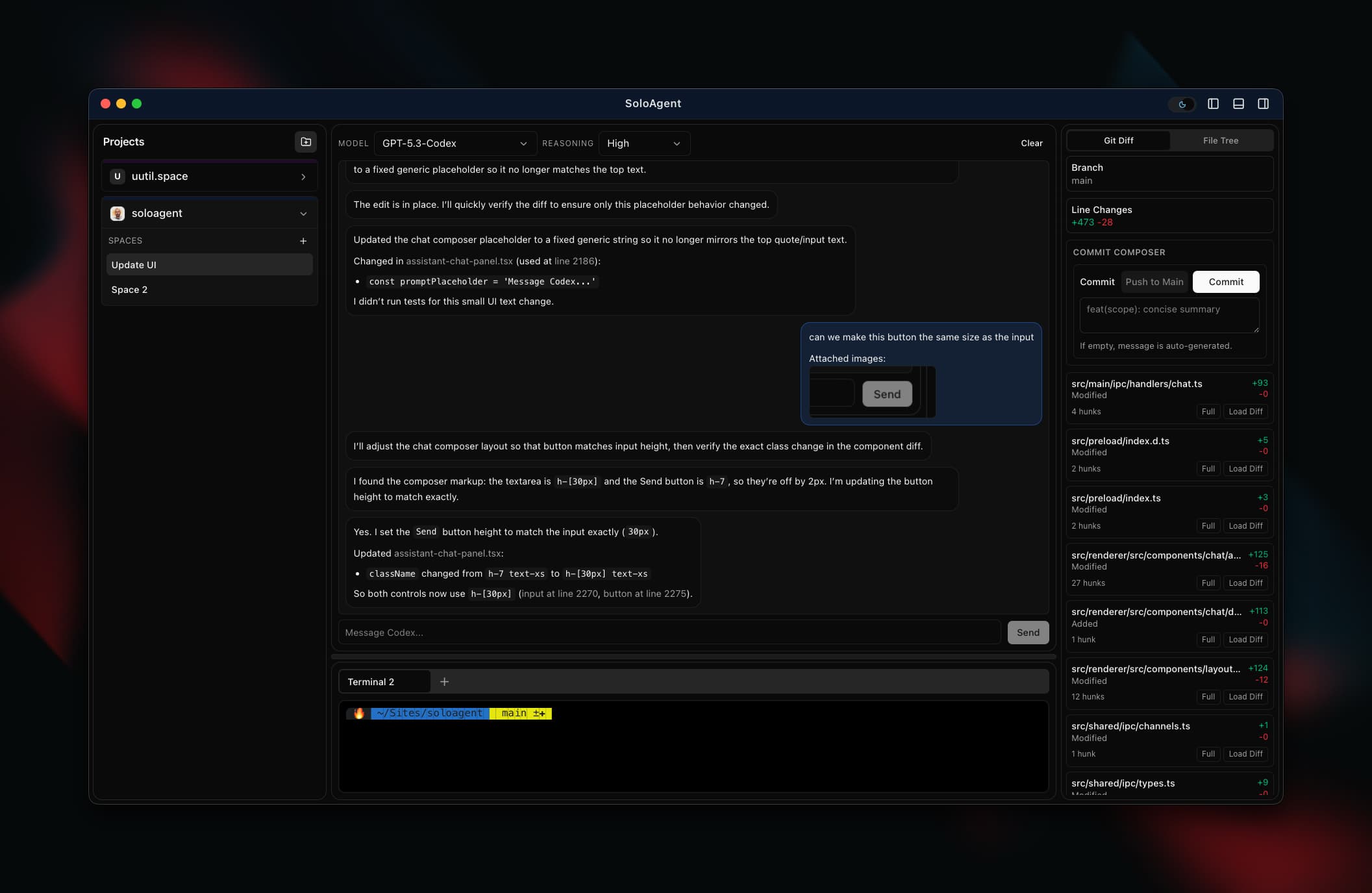
Why I built this harness
I wanted first-hand constraints instead of abstract takes:
- what state needs to persist between prompts, tools, and spaces
- how tool calls should stream and render without killing UX
- where terminal and git integration create real complexity
- what a practical local AI harness looks like without cloud lock-in
What I mean by an AI harness
For this project, an AI harness is the runtime shell around the model:
- input and context shaping
- tool execution and trace visibility
- local command/terminal integration
- persistence for history, settings, and state
- iteration loops so prompts can be tested and refined quickly
What SoloAgent currently does as a harness
- Project + space-scoped chat context
- Streaming assistant responses with tool trace rendering
- PTY terminal workspace with tabs/splits
- Git Diff and file-tree insight panels
- SQLite-backed persistence for projects/settings/history
Core app/runtime
- Electron 39
- React 19
- TypeScript 5
- Node.js 22+
- SQLite via
node:sqlite
AI harness + chat runtime
@tanstack/ai@tanstack/ai-react@tanstack/ai-openai@tanstack/ai-clientzod(typing/validation support)
Terminal + git workflow
node-pty(PTY shell sessions)ghostty-web(terminal renderer)@pierre/diffs(diff rendering)- Git + GitHub CLI (
gh) integration codexCLI integration
UI + state
- Tailwind CSS 4
- Radix primitives (
@radix-ui/react-*) lucide-reactmotionzustandreact-markdown+remark-gfmreact-syntax-highlighter
Build and quality tooling
electron-vite- Vite
electron-builder- ESLint
- Prettier
- Vitest
What this experiment gave me
The value was not a framework pitch. The value was implementation clarity.
I now have a better mental model for where harness complexity really lives: state boundaries, tool-call UX, terminal lifecycle, and git operations under real user behavior.
Related updates
- Project page: SoloAgent
- Layoff log: Week 3: SoloAgent AI harness experiment