
Dusk Circuit is a pixel-art slot car race on a 1:32 scale raceway, set up on a table in a wood-paneled hobby room at sundown. As with a real slot car set, you only control the power, and a guide pin running in the slot does the steering. Carry speed through the bends, lift before the tail steps out, and beat the teal-and-gold rival over five laps.
The whole game is one self-contained HTML file of about 225 KB. It uses raw WebGL2 for the world, Canvas 2D for the instruments, the Web Audio API for sound and the Gamepad API for controllers, with no libraries, no build step and no image files. The track, the room, both cars and every needle on the dashboard are built by code as the page loads. It plays full window in the browser, or embedded in its own website.

The slot does the steering
Hold the left mouse button, W or the up arrow to go. Power ramps in over about a quarter of a second, so short taps feather it through a corner. The right mouse button, S or the down arrow brakes, and the brake wins if you hold both. It’s a strong motor brake: the brake lights glow, the nose dips and the motor note drops.
The grip a bend asks for rises with the square of your speed and with how tight the bend is. Near the limit the tires squeal, the body rolls and the grip lamp on the dashboard glows amber. Overdo it for a moment and the tail steps out and scrubs off speed. Stay over the limit, or go far past it, and the guide pin pops out of the slot. That’s a deslot: a marshal lifts the car back into its lane about two seconds later, and you never gain lap distance while you’re off.
A race is five laps from a three-light start under the gantry. Behind the title screen both cars lap on their own until you hold the throttle to start. At the finish, a results card gives your race time, best lap, the rival’s time, your deslots and every lap, and holding the throttle again starts another race. Your best clean lap, meaning one without a deslot, is saved in the browser when storage is available.
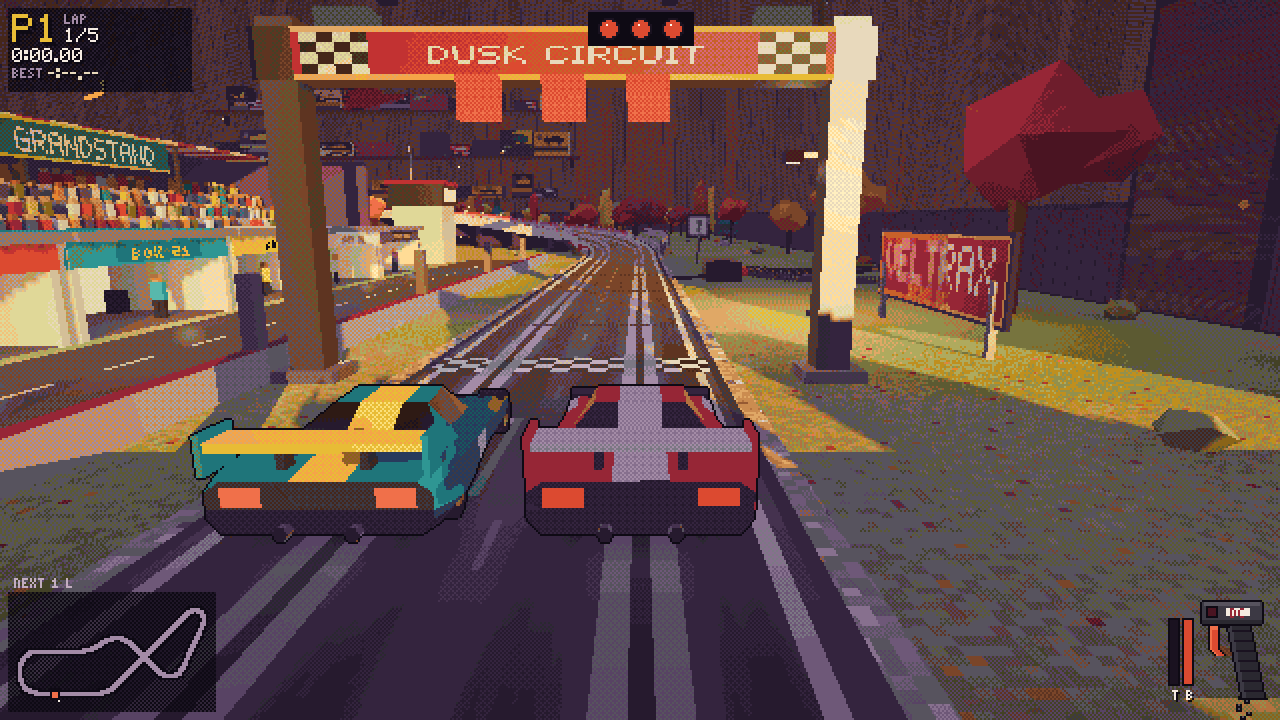
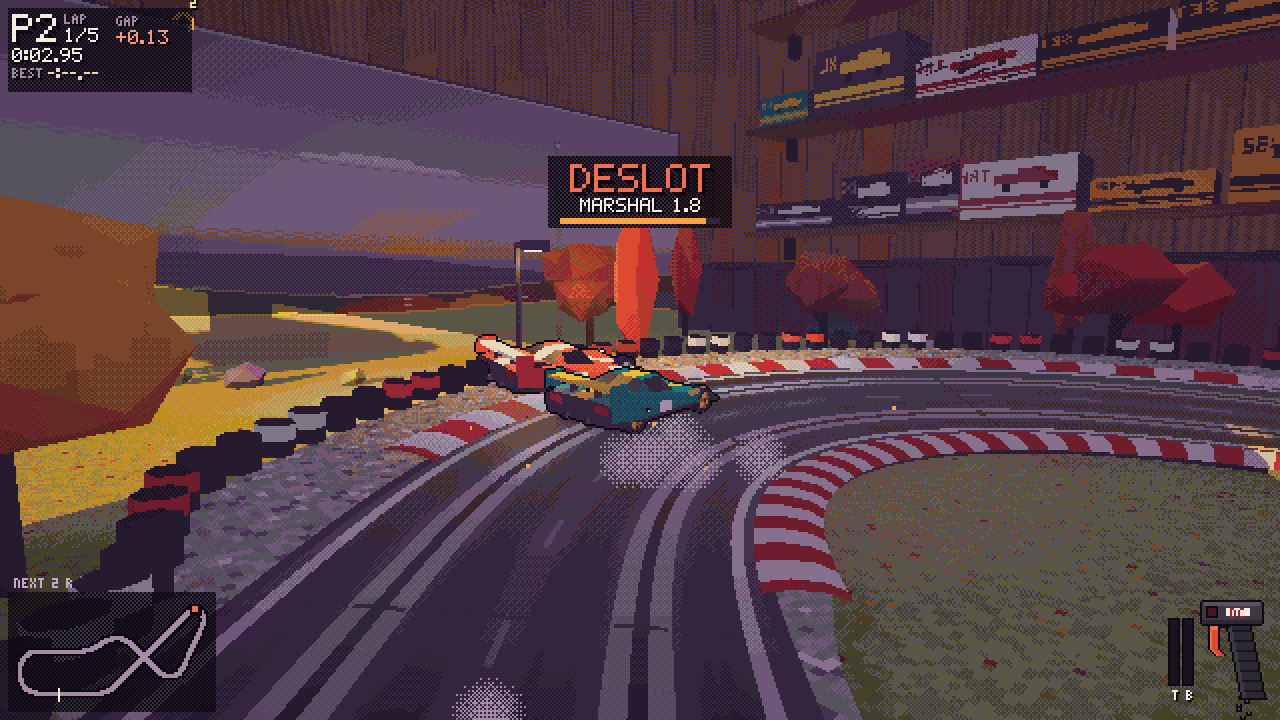
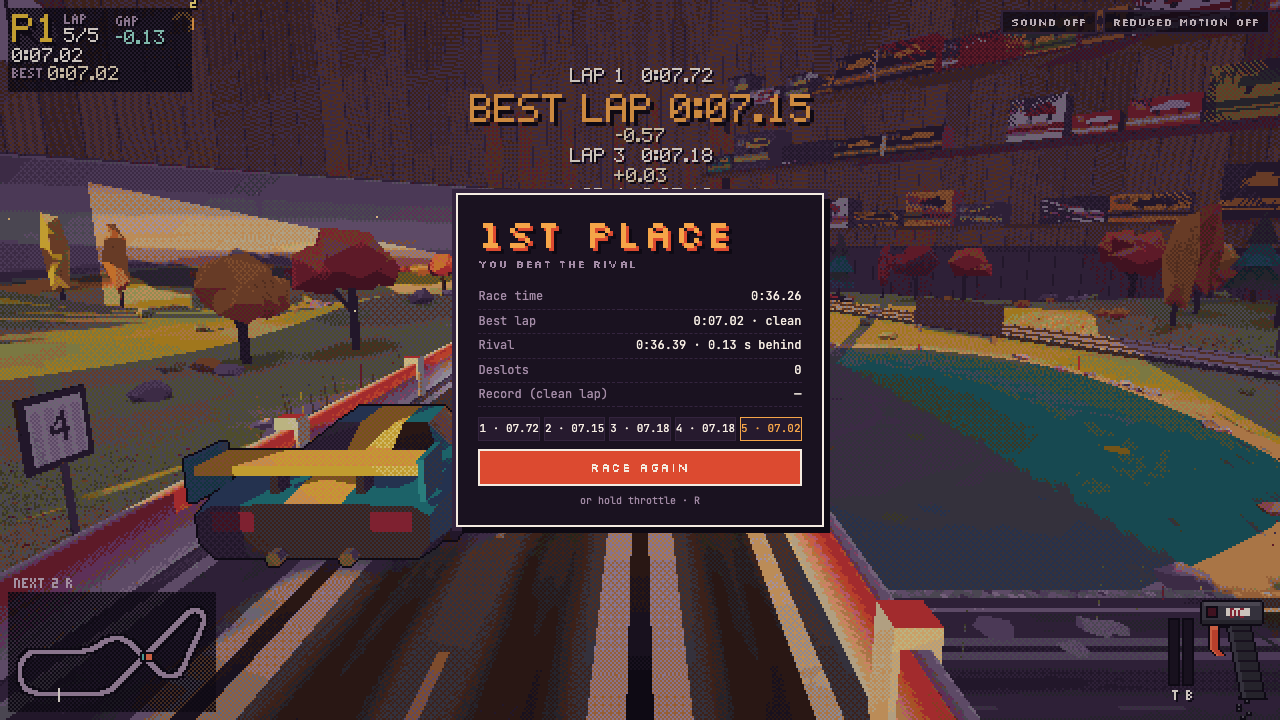
The rival runs on the same physics as you, with the same motor, tires and slot. It reads a speed map of its lane, brakes for the corners and gets back on the power on the exit. At each corner there’s a small chance it overcooks the entry and slides, or hesitates on the way out, and at the slow corners it now and then lunges and pops out of the slot. When either car gets more than 1.2 seconds ahead, the rival’s pace is nudged a little, so races stay close.
Any standard gamepad works once you press a button on it. The right and left triggers are an analog throttle and brake, with A and B as digital fallbacks; Y changes the camera, View restarts, Menu pauses and X turns the sound on or off. Rumble builds toward the grip limit, gets heavier in a slide and jolts on a deslot, the on-screen hints switch to controller buttons, and unplugging the controller mid-race pauses the game. On a touch screen, big throttle and brake pads appear, and you can hold both at once; landscape is best. On a keyboard, Space changes the camera, R restarts, Esc pauses and shows the controls, and M turns on the sound, which starts off. A reduced motion setting, which follows the system preference, turns off screen shake and the cars’ buzz at speed and swaps camera blends for quick fades.
A figure-eight with a bridge
The circuit is 17.7 meters of plastic track, with seven numbered corners and a lap of about seven seconds. From the start-finish straight, a long left (corner 1) climbs onto the bridge, which clears the lower track by 11 cm. Over the crest comes the fastest part of the lap, a downhill run at about 335 km/h in 1:32 scale (2.9 meters a second on the table), into the hairpin (2) at the bottom of the hill. A medium right (3) dives under the bridge, then come the sweeping esses (4 and 5) and the double-left carousel (6 and 7) back onto the straight, past the gantry, the pit garages and the grandstand.
Because a figure-eight turns as far left as it turns right, the inside and outside lanes come out the same length, to within 0.17 cm over the lap. Numbered boards stand on the outside before the corners, and the track map on the HUD shows both cars where they really are and lights up the next corner.

Three cameras and a dashboard
Space cycles three cameras, and the views blend over a second. Overhead shows the whole table and the whole race from above, the easiest way to learn the circuit and keep an eye on the rival. Chase sits low behind your car. It lags a touch when you punch the throttle and tucks in when you brake, and it follows the track and ducks under the bridge deck instead of cutting through the scenery. Bonnet puts you on the red car’s nose, above a dashboard drawn pixel by pixel from the live simulation. If you deslot, it steps out to the trackside so you can watch the marshal put you back.
The dashboard has a speedometer in 1:32 scale km/h, a rev counter that follows the wheels and flares at launch and when the rear wheels spin, a lap readout with the running time and best lap, and the grip lamp, amber near the limit and flashing red when the tail lets go. A race panel gives your position, lap, lap time, best lap and the live gap to the rival, and a drawing of the handheld controller shows its trigger following your throttle, a brake lamp that reacts at once and a coiled cable that bounces as you accelerate.

The hobby room
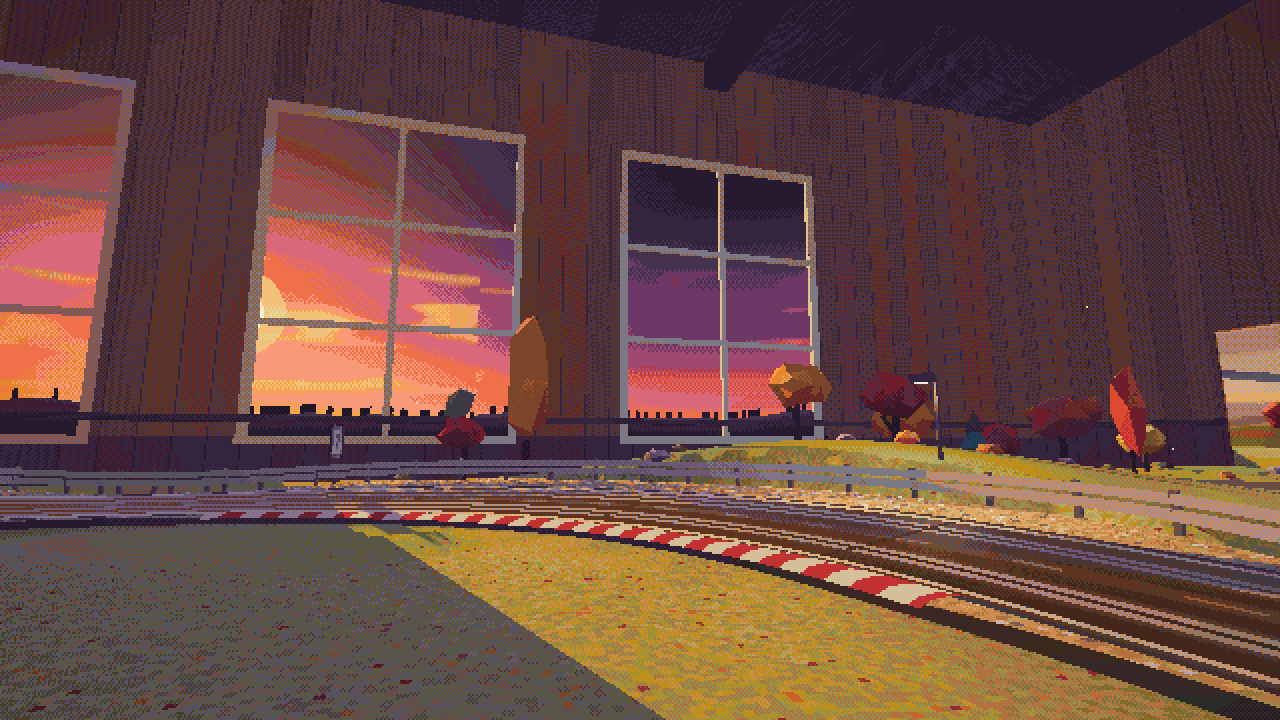
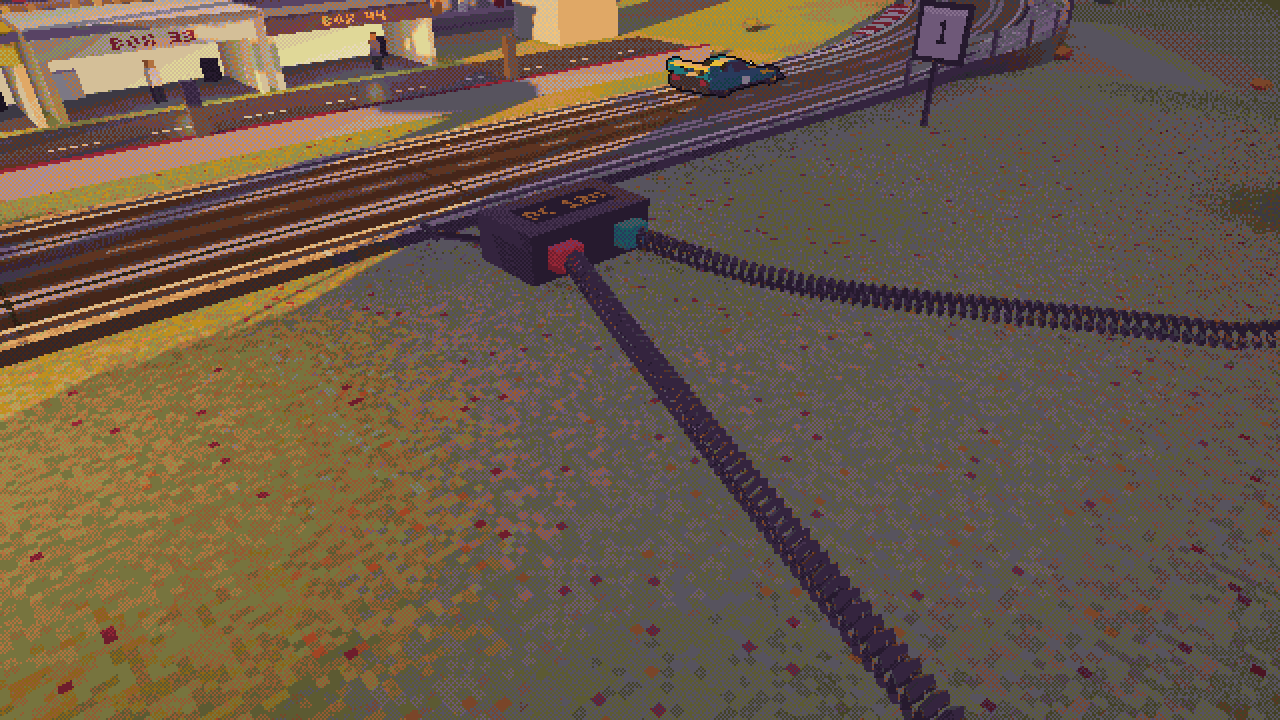
The raceway sits on flocked grass in a model railway room at golden hour. Low sun comes in through tall sash windows and lays warm bands across the table, glazing bars and all. Violet shade pools under the bridge and the trees, dust drifts in the sunbeams, and the trackside lamps and pit garages glow amber. Around the track are the Corvelle Grandstand and its crowd, five lit pit garages with mechanics, sponsor boards, a teal pond and autumn trees, and the walls hold shelves of track boxes and a clock. The power base sits beside the start-finish straight, with two coiled controller cables running to the edge of the table.
All of it is generated as the page loads, from a fixed random seed, so it’s the same room on every visit. The game’s own count comes to 140 trees and about 112,000 triangles for the room and the track.
How it’s built
The game is about 3,700 lines of HTML, CSS, JavaScript and GLSL in play/index.html. It talks to WebGL2 directly through five shader programs. The menus use two Google Fonts, the file’s only network request, while the HUD uses 5×7 and 3×5 pixel fonts plotted by hand in the code and drawn with Canvas 2D at the game’s internal resolution. Its units are centimeters and seconds.
- A track that closes itself. The figure-eight is a list of eight straights and eight arcs. The game smooths their curvature so nothing kinks, integrates it into a path, and solves the lengths of two straights so the loop closes exactly. Elevation and banking get the same smoothing, and each lane is its own arc-length spline.
- Physics at 240 Hz. A fixed time step of 1/240 second, so lap times don’t depend on the frame rate, models a DC motor’s torque curve, drag, slope and a grip budget boosted by the car’s magnet. A brief excess becomes a tail slide that scrubs speed; a sustained one pops the guide out.
- Light through real windows. Sunlight is worked out per pixel: each point traces toward a low sun and checks the window panes, so the warm bands on the table line up with the glazing bars. A shadow map adds the long shadows, and a top-down height map pools violet shade under the bridge and the trees.
- Pixels on purpose. The scene renders at about 340 pixels tall, 640×360 in a 1280×720 window, and is scaled up in whole steps. A post pass outlines the cars, then maps every color to the best pair of entries in a 67-color palette through a 64×64×64 lookup table built in the OKLab color space, and dithers between the two with a 4×4 Bayer matrix. If the frame rate stays under about 40 for a couple of seconds, the game switches to bigger pixels on its own.
- Synthesized sound. Sound is off until you turn it on, and all of it is made with the Web Audio API: a motor whine tied to the RPM, rail chatter, tire squeal and a click at every track joint, one every 30 cm.

solve until the loop closes. From play/index.html.The game also exposes a small window.__dusk hook, with the race state, a fast-forward, forced deslots and similar, for poking at the simulation from the browser console.
The repository has three commits, all on November 17, 2026: an initial commit, then the game and its website together, then controller support with rumble about eleven minutes later. Every commit after the first is co-authored by Claude.
The website
The website is one page, served by GitHub Pages from the repository’s main branch. At the top is a live copy of the game in an iframe. On a desktop it loads once the page has settled, unless you prefer reduced motion or are saving data, and it pauses when you scroll it out of view. Press Play here to take the controls, or go full screen or open the game in its own tab; on a phone, the play buttons open the full-window game instead.
Further down, a map of the circuit replays a 7.10-second flying lap recorded from the game’s own simulation, beside a speed trace and notes on each corner. The page also has the three camera views, the bonnet view with its instruments labeled, a gallery of the room, the 67-color palette as swatches and the Bayer matrix, the controls and a short FAQ. Its pixel sunsets are painted with the same palette and Bayer matrix as the game.
Play it
Play it in your browser at nearbycoder.github.io/dusk-circuit/play, or on the website. It needs a browser with WebGL2, and it plays with a mouse and keyboard, a controller or a touch screen. Hold the throttle on the title screen to start, and press M if you want sound. To run it locally, open play/index.html from the repository in any browser with WebGL2; the website needs to be served over HTTP, for example with python3 -m http.server.
Dusk Circuit, Dusk Patrol and Dusk Station are three single-file pixel-art browser games set at dusk, all published on November 17, 2026.
Browse the source on GitHub. The creation date shown here is the GitHub repository’s UTC creation date. The screenshots come unchanged from the repository’s assets/shots folder, where the game’s 640×360 frames were saved at 1280×720 with nearest-neighbor scaling, and the code excerpt is from play/index.html.