
Marble Mist is a downhill marble race for the browser, in the spirit of the old isometric marble games, as its README puts it. You’re the chrome marble, racing ten AI marbles down raised obstacle courses that float over a void: ramps, step drops, funnels and catwalks with no rails, bumpers, spinning bars, pushers, stompers, ice and boost pads. Roll off an edge and you’re put back at the last checkpoint, and drop too far and the marble shatters. There are 44 courses, seven built by hand and 37 laid out by a seeded generator, and a bet mode in which nobody steers and you put coins on a marble instead.
The whole game is one self-contained file, play/index.html, with no libraries, image files or sound files. One WebGL2 shader ray traces every pixel, the fog on eight of the courses is a fluid simulation that every marble pushes through, every sound is synthesized with the Web Audio API, and a governor reads the GPU’s time per frame to keep up with the display’s refresh rate. It plays with a mouse, a touchscreen, a keyboard or a gamepad, and the code is under the MIT License.
Roll fast, hit nothing
You don’t steer the marble so much as push it. Drag away from it, with a mouse or a finger, and it rolls that way, harder the farther you drag. W A S D or the arrow keys push in screen directions, with up meaning away from the camera, and a gamepad’s left stick does the same with analog strength. The marble carries its momentum, so braking means pushing the other way: on ice the push drops to 30 percent and the marble slows far less, and boost pads shove it along their arrows.
Drop more than 9 meters below where you last touched the course and the game calls out FELL! and puts you back at the start of the last section you reached about a second later, while the clock runs on. Land on a floor faster than 14 meters per second, which a free fall of a little over four meters will do, and the marble is SHATTERED!, and a stomper coming down on it leaves it SQUASHED!. Those cost a second and a half, and every one counts as a fall.
Bumpers, pink posts with white caps, kick a marble away harder than it hit them and rumble your controller. Spinners are hazard-striped bars that sweep around a post, pushers are orange blocks that slide across the track and shove marbles off the edge, and stompers are gray blocks on poles that wait 1.3 seconds at the top, slam down in 0.15 and stay down for half a second before rising again, every 2.8 seconds. Some edges have rails, and the easier the course, the more of them it has.
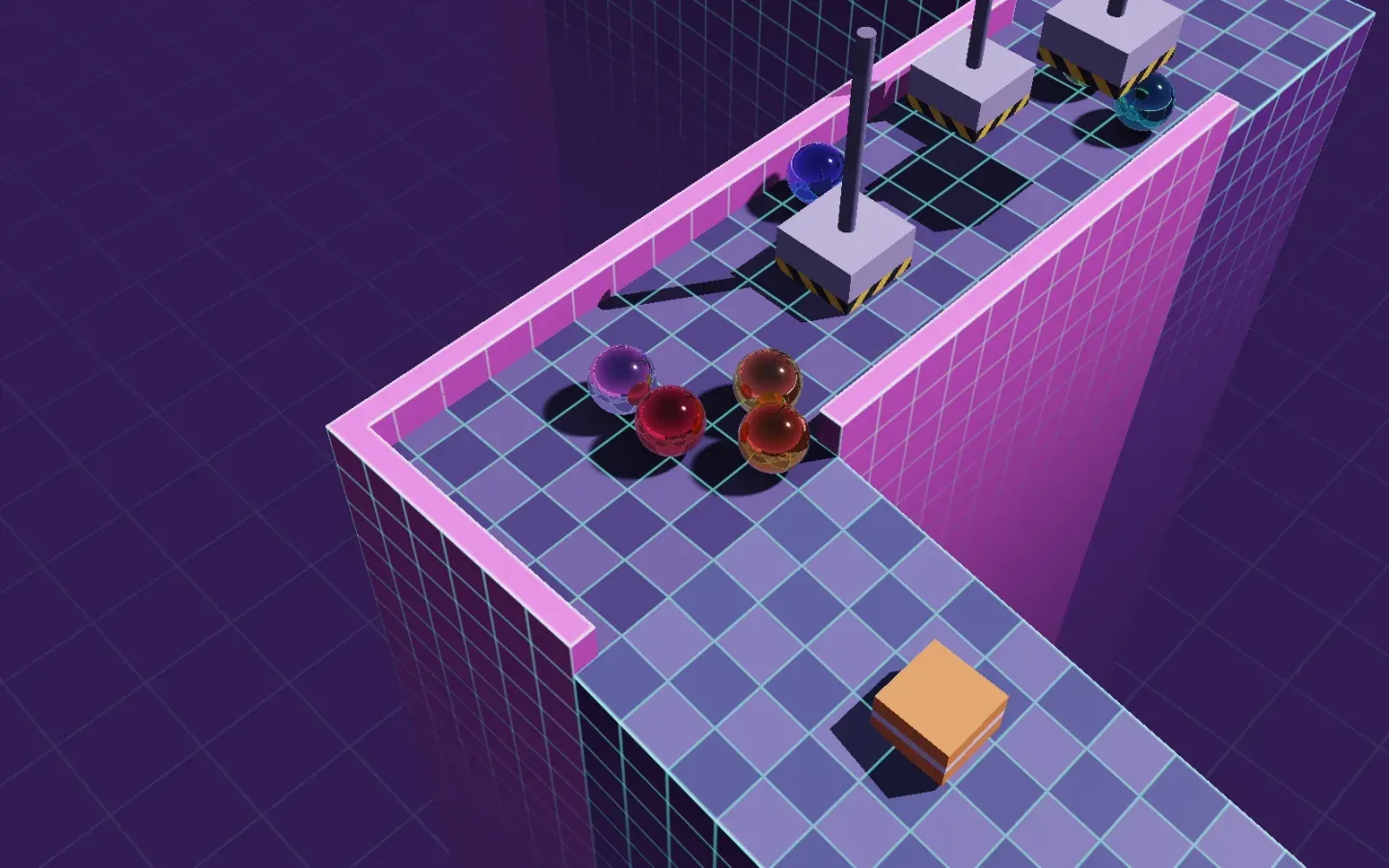
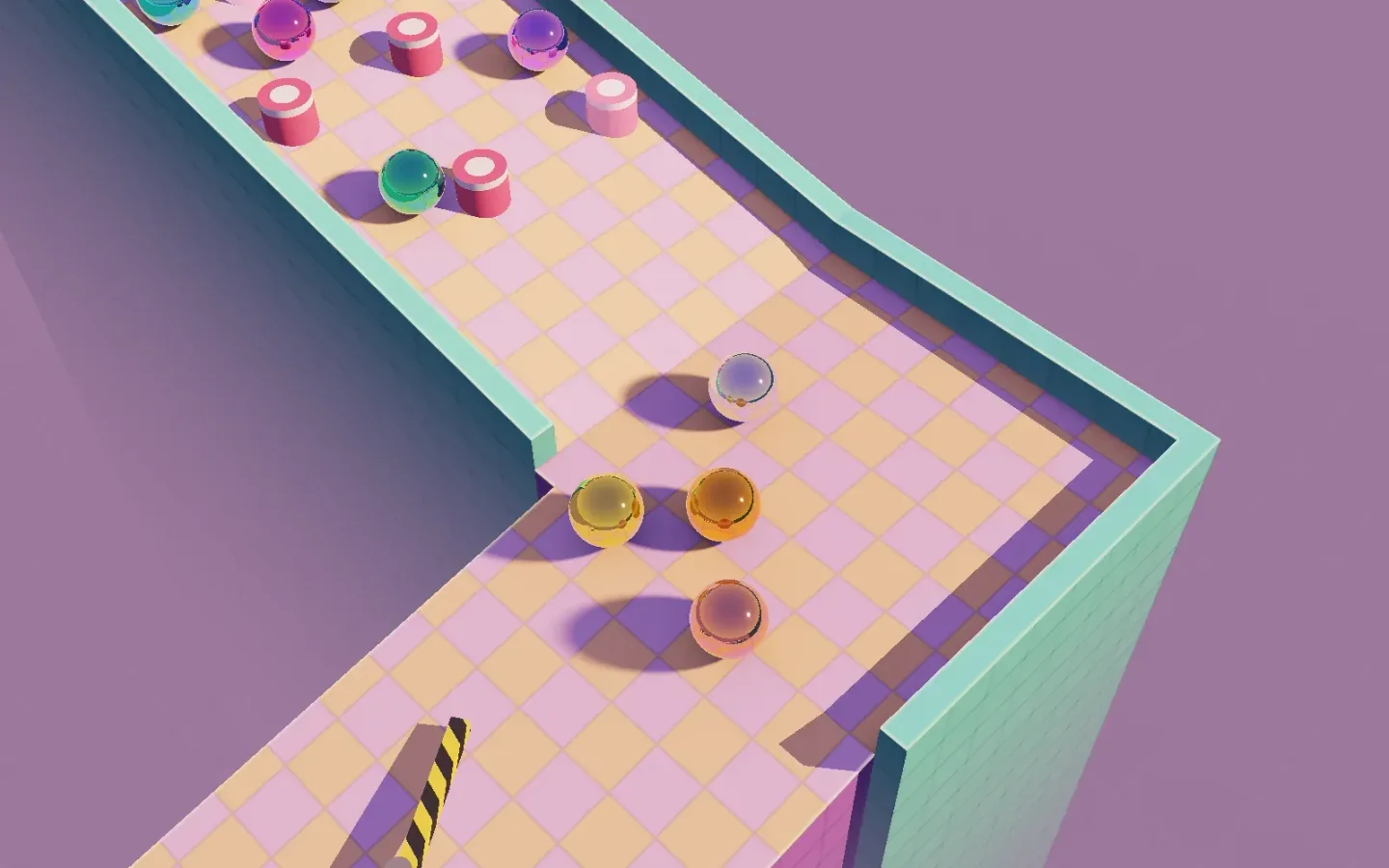
Ten rivals
Rivals, on the menu, sets how good the AI marbles are, from Easy to Hard. A rival’s skill scales the speed it aims for along the course’s safe speed profile, which is worked out from the corners, narrow walks, ice and jumps when the course is built, and most of them on Normal, and all of them on Hard, drive faster than that. Six or seven times a second, each one scores nine lanes across the track against the obstacles and marbles just ahead and steers for the best, and it times what it can’t dodge, waiting for a stomper to lift or a spinner to pass. Each also starts the race ignoring a few obstacles at random, more the weaker it is, until something knocks it off, after which everything within 12 meters of the spot is taken seriously. Rivals behind you get up to 5 percent more speed, but the ones ahead never slow down to wait for you.
The panel at the top left shows your place out of 11, the time and your falls, over the standings, with each marble’s gap to the leader in meters, or in seconds once it has finished, and a minimap sits at the top right. In 132 races run for this page with the game’s own fastRace test hook, three on each course with Normal rivals and the AI driving your marble too, the winners took from about 21 seconds on Roundabout to about 1:40 on Grand Descent, The Pinwheel and Final Exam, and every marble finished every race.
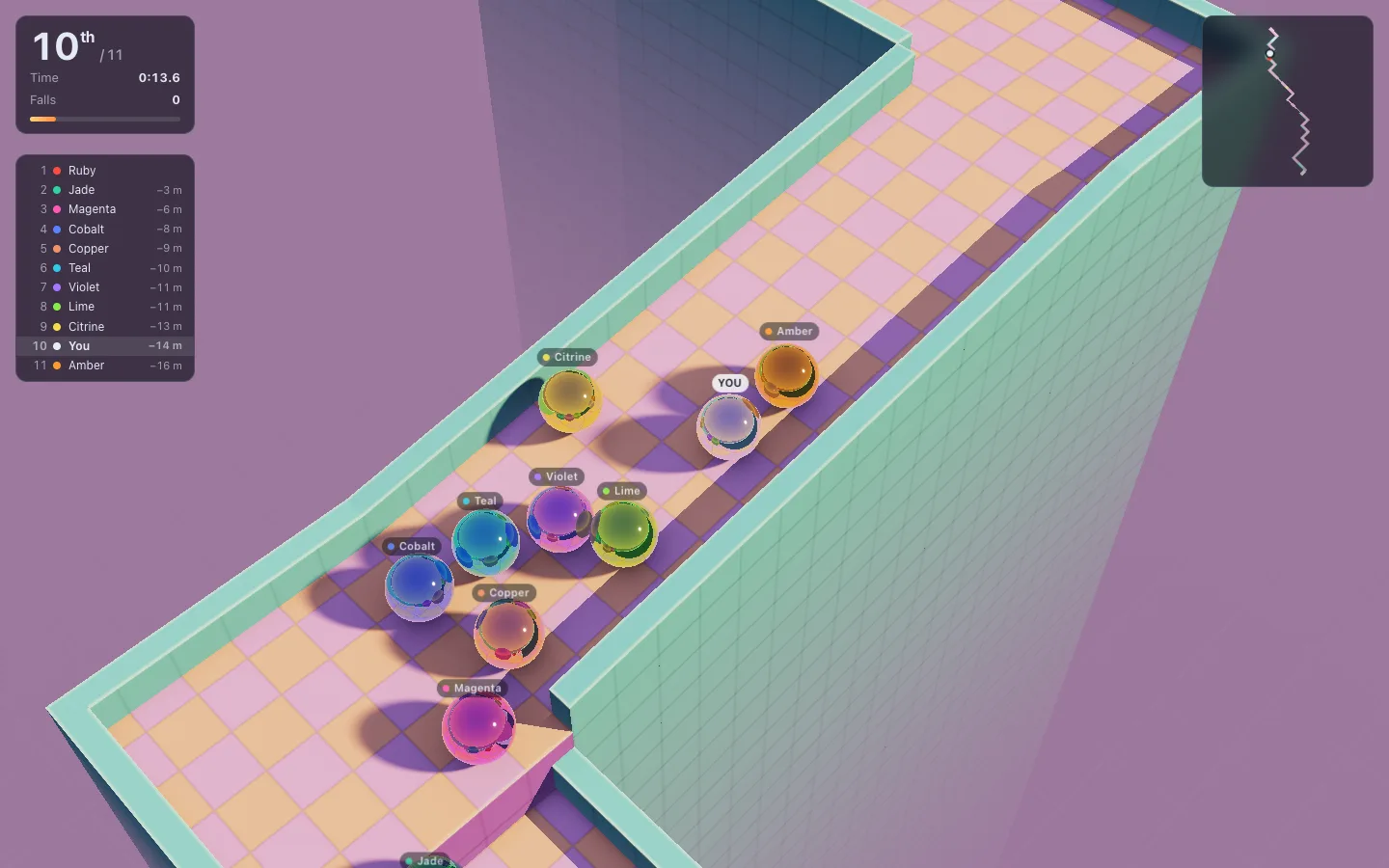
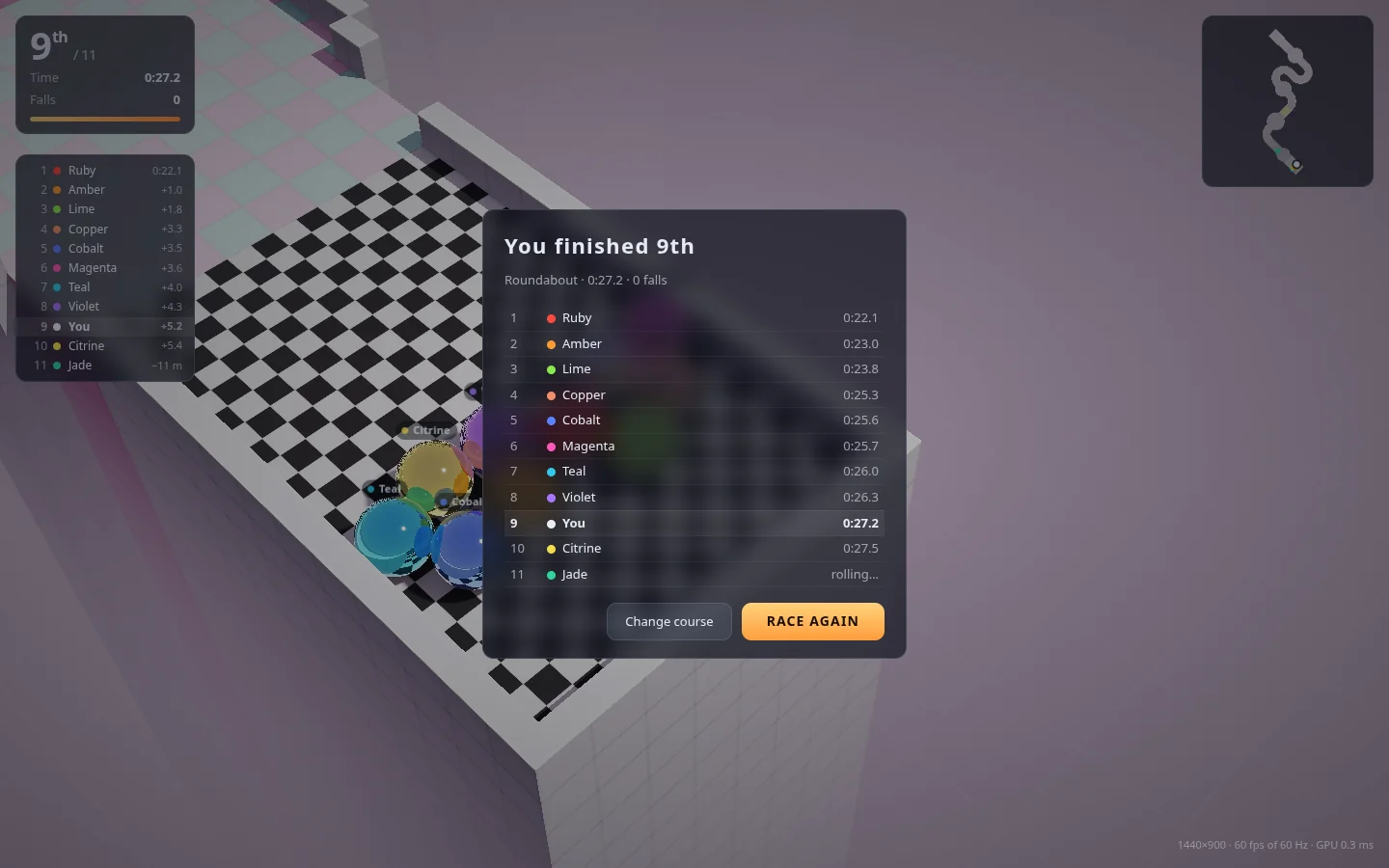
?auto flag driving your marble.Race it or bet on it
In bet mode you don’t steer. All eleven marbles are AI, the chrome one included, with skills spread evenly from 0.88 to 1.10 and shuffled before every race, and the Form bar shows how each compares. The game prices them by sampling 20,000 finishing orders in which stronger marbles tend to come first, with a weighting that a comment in the code says was fitted to 176 simulated races, and pays 0.9 divided by each marble’s chance, so the house keeps about 10 percent. You can bet on a marble to win, or to finish in the top three at shorter odds, with 10, 25, 50 or 100 coins, or all in. You start with 100 coins, kept in the browser, and if you’re down to fewer than 10, the house resets you to 100. A bet is settled the moment its outcome is certain, and the race carries on behind the result, while Tab, a click on the standings or a gamepad’s bumpers switch which marble the camera follows.

Forty-four courses
The menu lists the courses easiest first, each with a map and one to four dots, seven at the first level, 12 at the second, 17 at the third and 8 at the fourth, and runs a demo race on the one you pick. Thirteen looks, from daylight and sunset to neon, arctic, lava and jungle, set the sun, the sky and the colors of the tiles, walls and rails. Eight courses are under fog, and six end in a spiral pit with the finish on the floor at the bottom.

The seven hand-built courses are Sunny Steps, with wide railed ramps and a few bumpers; Pinball Terraces, with bumper fields on sunset terraces; Roundabout, round platforms swept by giant spinners and linked by banked hairpins; Mistfall, moonlit catwalks over fog; Maelstrom, a funnel bowl and then three laps down a spiral pit; Corkscrew, hairpin after banked hairpin into a two-lap pit; and The Gauntlet, the only hand-built course with four dots, with steep funnels, ice, jumps over the void and a catwalk two meters wide. Every course is a list of pieces, from straights, corners, gaps and banked arcs to funnel bowls, round platforms and spiral pits. To build a course, a turtle walks the list and lays down solid shapes, a center line and the obstacles, and the shapes are rasterized into a grid of half-meter cells, each a column with a flat top that can slope, which both the physics and the renderer read.
The other 37 come from a generator. Each is a name, a look, a level, a target length and a weighted mix drawn from 18 kinds of section, from ramps, staircases and bumper fields to stomper alleys, zigzags, switchbacks, hairpin sweeps and funnel bowls. A hash of the name seeds it, so a course is the same every time. It picks sections by weight and turns between them until the course is long enough, then finishes on a straight or, on four courses, a spiral pit, and a layout that would cross itself is re-rolled with another seed, which only Switchback Summit needed. The menu’s description is generated too: The Drain’s reads “Funnel bowls, hairpin sweeps, banked curves and jumps. Ends in a spiral pit.” The README puts the generated courses at 200 to 600 meters, and they come out between 221 and 608, while the hand-built ones run from 167 meters for Roundabout to 412 for Maelstrom.
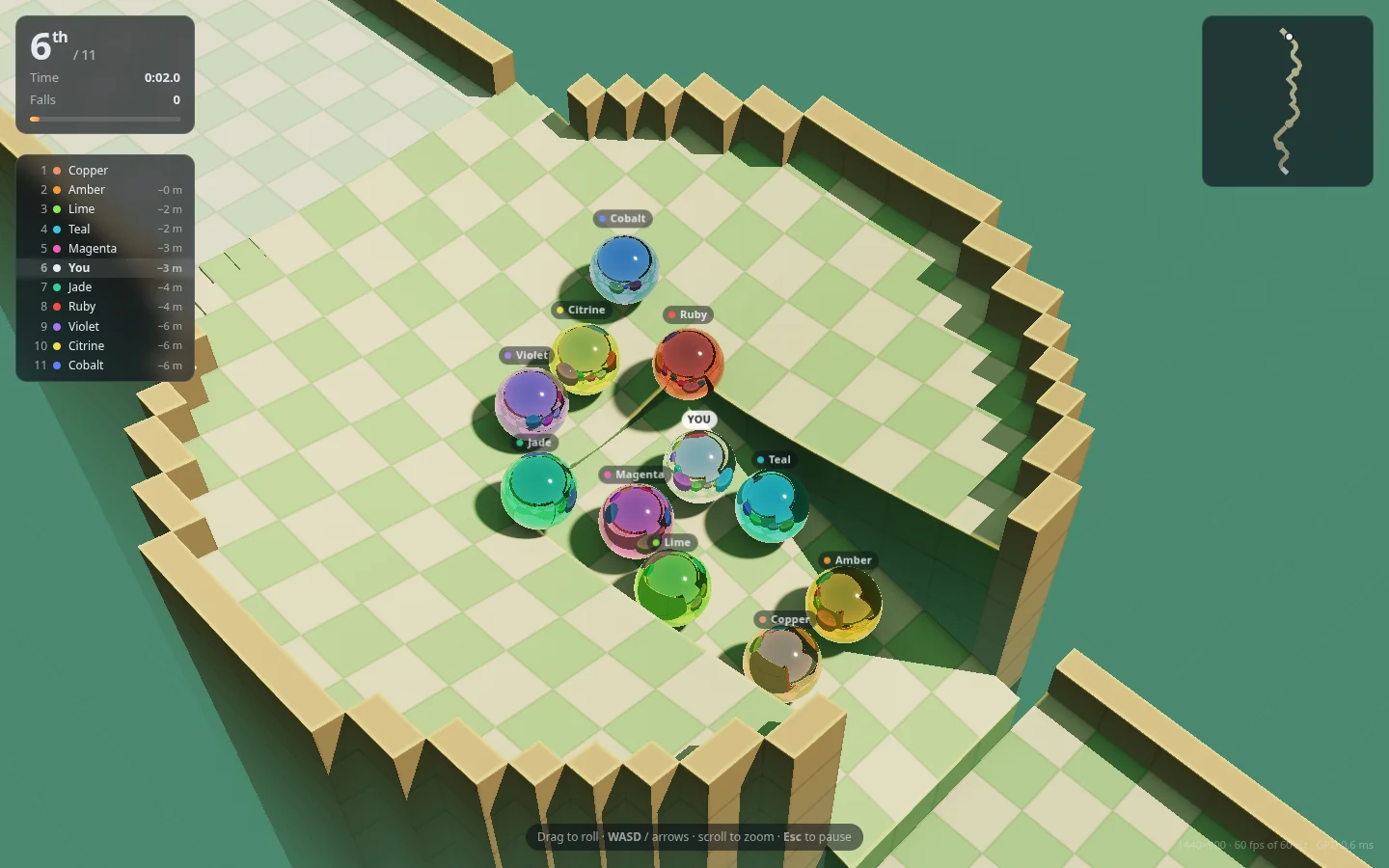
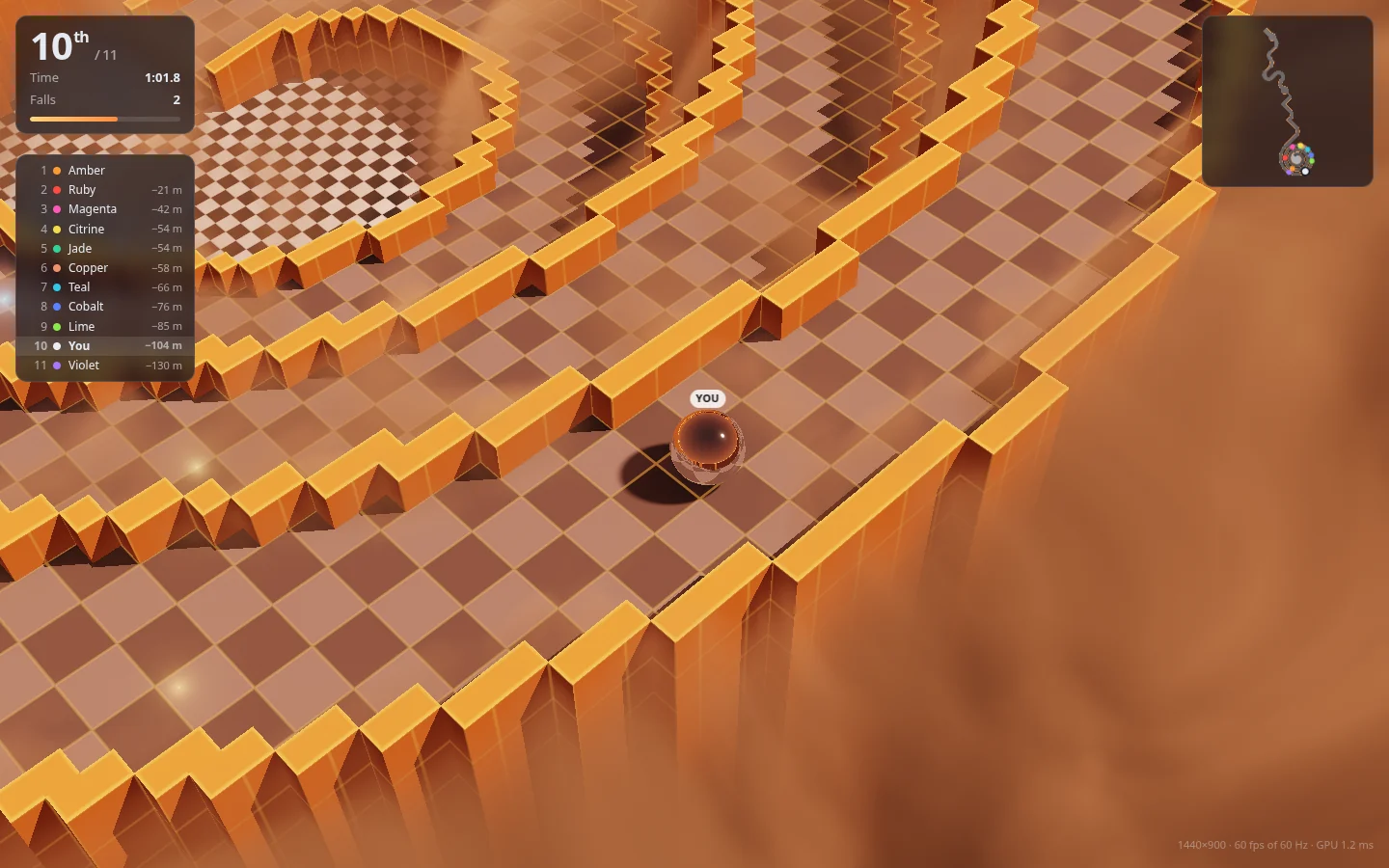
?auto flag driving your marble.Fog you can push
On the eight foggy courses, the mist is a stable-fluids simulation on a 512 × 512 grid covering a 48-meter square around the point the camera looks at, which wraps around as that point moves, so cells coming into view start as still air and full fog. It steps at a fixed 60 Hz, whatever the display’s rate, in 11 GPU passes: one carries the air and the fog along the air’s velocity, one applies vorticity confinement to keep swirls alive, eight Jacobi iterations solve for the pressure, warm-started from the step before, and one subtracts the pressure gradient. The fog grows back toward full, with a refill time of 5 to 10 seconds depending on the course, and drifts with its wind. Every marble within reach drags the air around it to its own speed, clears the fog within about 1.4 meters and, as it rolls, piles a little up in a ring ahead of and beside it. Settings has sliders for the fog’s thickness, height, wind, refill time and swirl, which each foggy course sets for itself, and a Fog map switch that paints the simulation onto the course instead of drawing the fog.

play/index.html, where every marble pushes the air and clears the fog.The fog is drawn by a second pass of the main shader at half resolution, or 35 percent on Low. It rides on a smoothed copy of the course’s height, so it follows the course down the hill, and a 64 × 64 × 64 noise texture baked at startup gives it billows. Each pixel marches up to 24, 40 or 64 steps through it, for Low, Medium and High, lit by the sun and the sky, while the four marbles nearest the camera cast shadow beams through it and three flickering wisps of colored light drift over it. A depth-aware upsample blends the result back in without bleeding across the edges of the course.
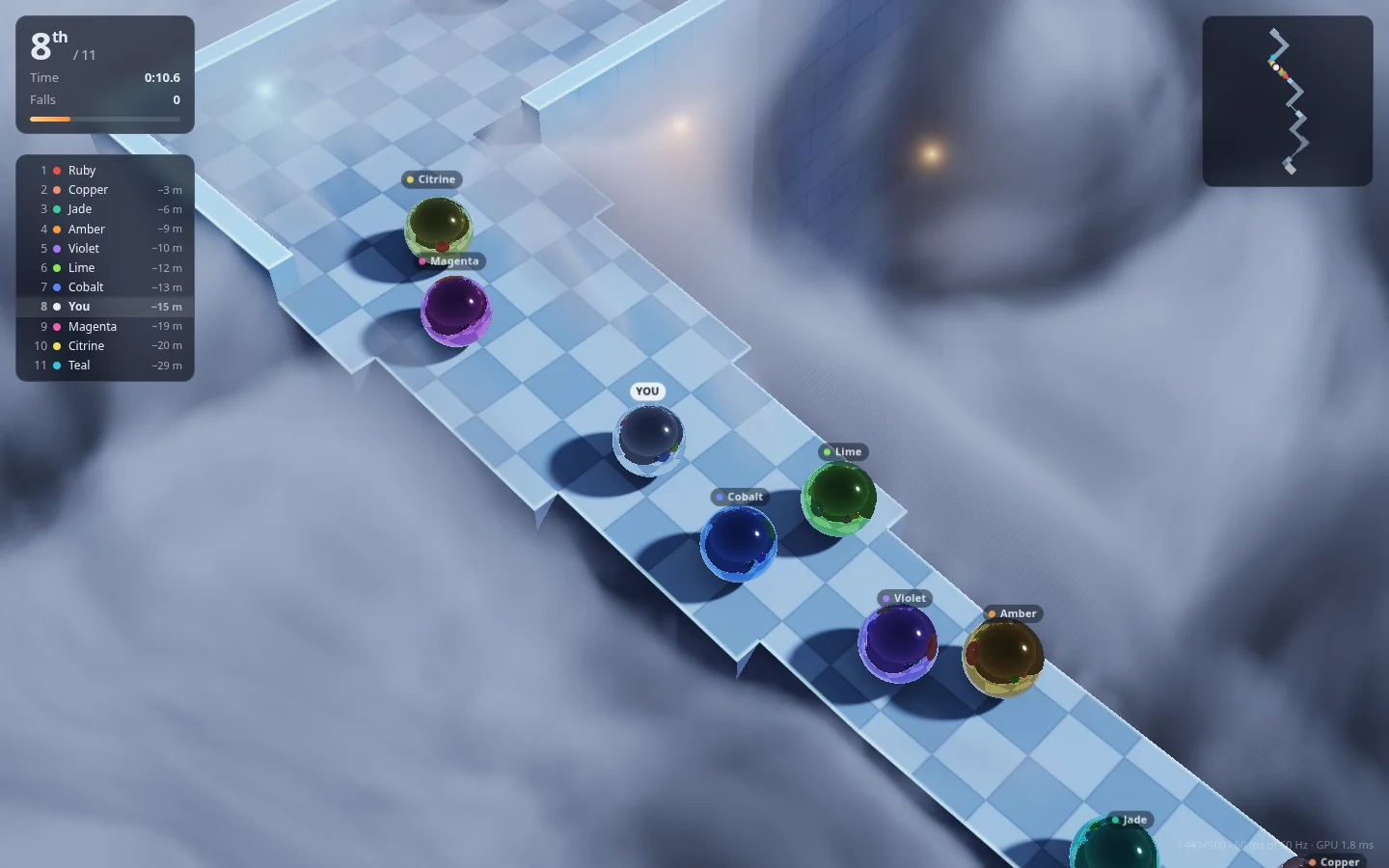
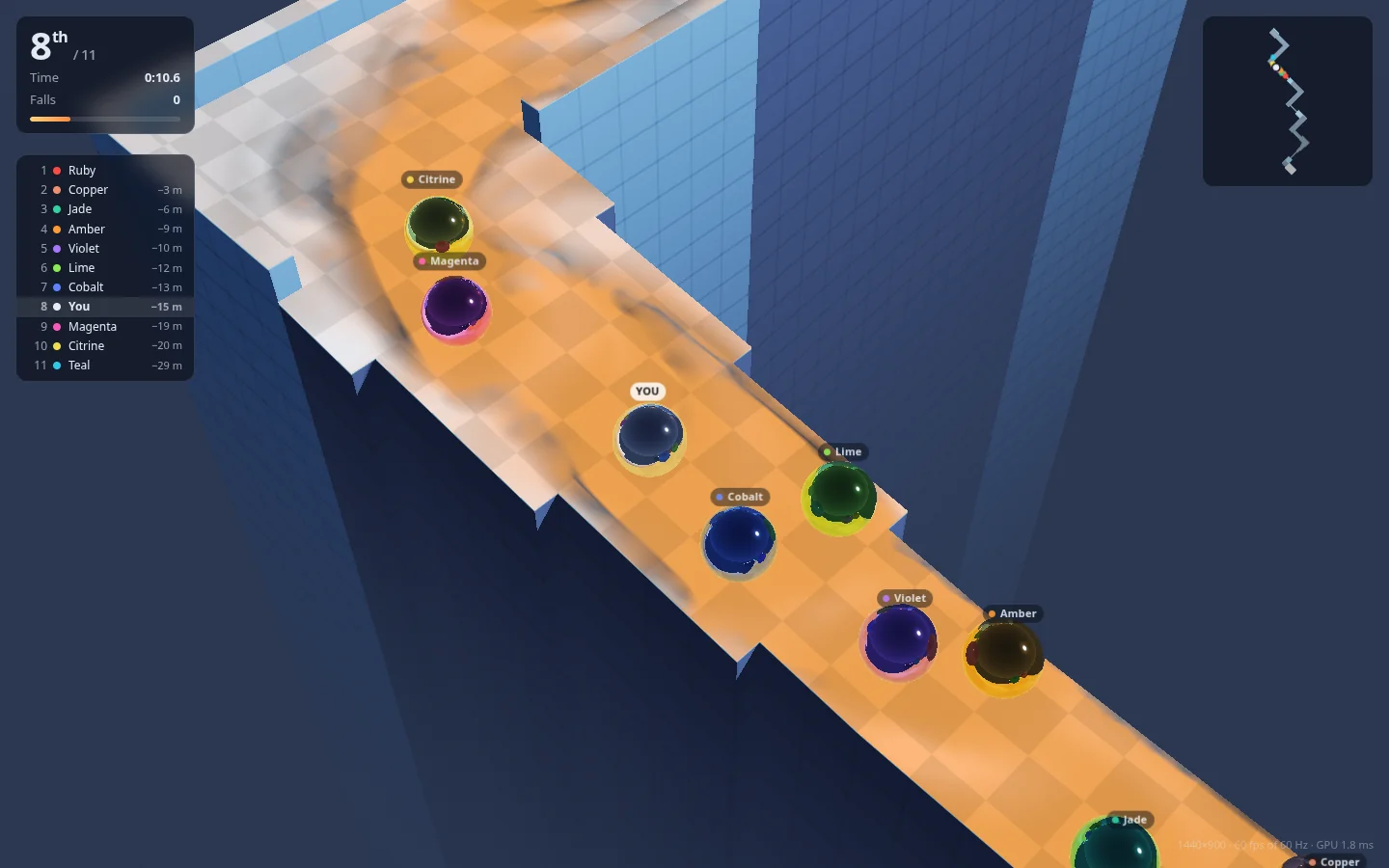
__mm.setSpeed hook.One file, no meshes
play/index.html is about 189 KB and 3,827 lines, some 700 of them GLSL. There are no meshes. The main pass draws one triangle that covers the screen, and a fragment shader of about 600 lines traces a ray for every pixel. A ray crosses the course grid block by block, using a coarser texture of each 8 × 8 block’s highest point to skip what it passes over, and cell by cell only where it might hit. Marbles are spheres and obstacles are boxes and cylinders, all hit exactly. Every marble is a colored mirror: a second ray from its surface finds the other marbles, the obstacles, the course and the sky. Where a camera ray hits the course, another ray toward the sun casts the course’s shadows, which Settings can switch off. The marbles are simulated on the CPU, in steps of at most 1/120 of a second, against the same grid. The camera always looks the same way, diagonally from 50 degrees above with a narrow 32-degree field of view, close to the old isometric look, and it tilts down as far as 78 degrees when walls would hide your marble.
The frame-rate governor finds the display’s refresh rate, from 60 to 240 Hz, reads the GPU’s time per frame from a timer query a few frames late so it never stalls, and every half second resizes the canvas to keep the GPU at about 70 percent of the frame’s budget, from half a megapixel up to native resolution. On fog courses, fewer fog steps are its last resort. The stats line in the corner shows the resolution, frame rate, refresh rate and GPU time, and in the captures for this page, at 1440 × 900 on an AMD Radeon 8060S, the GPU took under a millisecond a frame on clear courses and 1.2 to 1.8 milliseconds with fog.
Every sound is made live with the Web Audio API. Rolling is a loop of noise through a filter that rises with speed and rings narrower on ice, and clacks, thuds, bumper boings, stomps, falls and shatters are short bursts of oscillators and noise, placed by their distance from the camera and panned by where they are on screen. The music comes from a generative sequencer, in a key and mode set by each look, such as C major for daylight or D Phrygian for lava, calm in the menus and with drums in a race.
The website
The repository’s root page, index.html, is the game’s website. Its reel loops silently behind the title, as two copies that cross-fade at the loop point, with a pause button, and stays still for visitors who ask for reduced motion. Further down are nine feature cards with five of the screenshots, a grid of eight course screenshots that open in a lightbox, the two modes, notes on how it works, a controls table and an FAQ.
How it was made
The repository has four commits, all dated November 23, 2026. The first holds a README stub and the icon. The second, about six hours later, adds the game, the website, the screenshots and the reel, the MIT license and a .nojekyll file so GitHub Pages serves the files as they are. Its message describes the media as a gameplay reel and screenshots captured from the game. The last two, about an hour after that, fix brief black flashes: the game now resizes its canvas just before it draws, the reel is re-encoded, and the website cross-fades two copies of it at the loop point, with the poster behind them. The last three commits are co-authored by Claude Opus 5.5, and the README says the game was created in T3 Code. The game keeps its testing aids: URL flags and a window.__mm object with hooks such as fastRace, which runs a whole race in one go and reports every marble’s time.
Play it
Play in your browser, or start from the website. It needs WebGL2 and a GPU that can render to half-float textures, and a first visit downloads about 59 KB, or 189 KB uncompressed, since the page is the whole game. Pick a course and a mode and press RACE, or PLACE A BET in bet mode, and the sound starts with your first click or key press. Drag from your marble or use W A S D or the arrow keys to roll, scroll to zoom, and press Esc or P to pause. On a gamepad, the left stick or the D-pad rolls, the right stick zooms and Start pauses, the D-pad moves a focus ring through the menus with A to select and B to go back, and the pad rumbles when you fall or hit a bumper. Settings and coins stay in the browser.
To run it from the repository, open play/index.html in a browser, or serve the folder with python3 -m http.server 8000 for the website and the game together. Adding ?course=N picks course N in menu order, ?auto lets your marble drive itself, ?speed=N runs the simulation up to eight times faster and ?scale=N fixes the render scale.
Browse the source on GitHub. The creation date shown here is the GitHub repository’s UTC creation date. The cover and the Neon Alley and Pinball Terraces pictures are the website’s course screenshots from the repository’s media folder, shrunk with Lanczos resampling and, for the cover, cropped to 16:9, and the race and bet pictures are the website’s screenshots of the game’s interface, used as they are. The menu, results, Funnel Falls, Spiral Mine and Mistfall pictures were captured for this page from the live game in headless Chromium on Linux with an AMD Radeon 8060S, using the game’s Native resolution setting, and for the race shots its ?auto flag, so that your marble drove itself, and a camera distance of 24. The reel and its poster are the website’s own, and the code excerpt is from play/index.html.