← All projects

example-react-yaml

An example React app from 2017 that builds its pages from YAML files. Each route loads a file from public/data, and each entry in the file picks a Banner or Card component and fills in its text.

The Food page: a narrow white side bar with Logo, a toggle button and Social, a gray banner with a 1200 × 720 placeholder behind the heading Lorem ipsum dolor sit amet and a subtitle, and below it a white card with a 150 × 100 placeholder image, the title Jerry Glanville and a paragraph of lorem ipsum.
The Food page, running locally from the repository's source. placehold.it now refuses the app's placeholder images, so same-size placeholders from placehold.co stand in for them.

example-react-yaml is a small React app whose pages are data. Each route loads a YAML file from public/data, and each entry in the file names a component to render (Banner or Card) along with its text and image. Adding a page takes a YAML file, a route and a menu link, but no new components.

It’s a single commit from April 17, 2017, and it hasn’t changed since. The package is named beisbolexp and has five sections, Food, Family, Money, Immigration and Game Culture, but all five YAML files hold the same placeholder content: a lorem ipsum banner and five cards with a placeholder image.

How it works

Lines 1 to 11 of public/data/food.yml: a sections list holding a Banner with a title and subtitle, then a components list that starts with a Card with a title, lorem ipsum content, a placehold.it image URL and component: Card.
The start of public/data/food.yml. The other four files are identical.

Page loads its file with yamljs when it’s created and keeps the parsed sections in state. A section with a components list becomes a wrapper with one row per component, and any other section is a single component. getComponent maps the names in the file to React components, and a name it doesn’t know renders nothing.

Lines 13 to 38 of src/components/Page.js: YAML.load reads the page's file into state, and renderSections maps each section either to a section wrapper with one row per component or to a single component, choosing each one with getComponent.
Loading and rendering a page in src/components/Page.js.

Around the pages is a narrow side bar with a Logo link, a toggle button and a Social placeholder. The toggle slides out a menu of the five sections, and every section page ends with the same links along the bottom. The home route is a fixed layout written in JSX, with placeholder images and filler text.
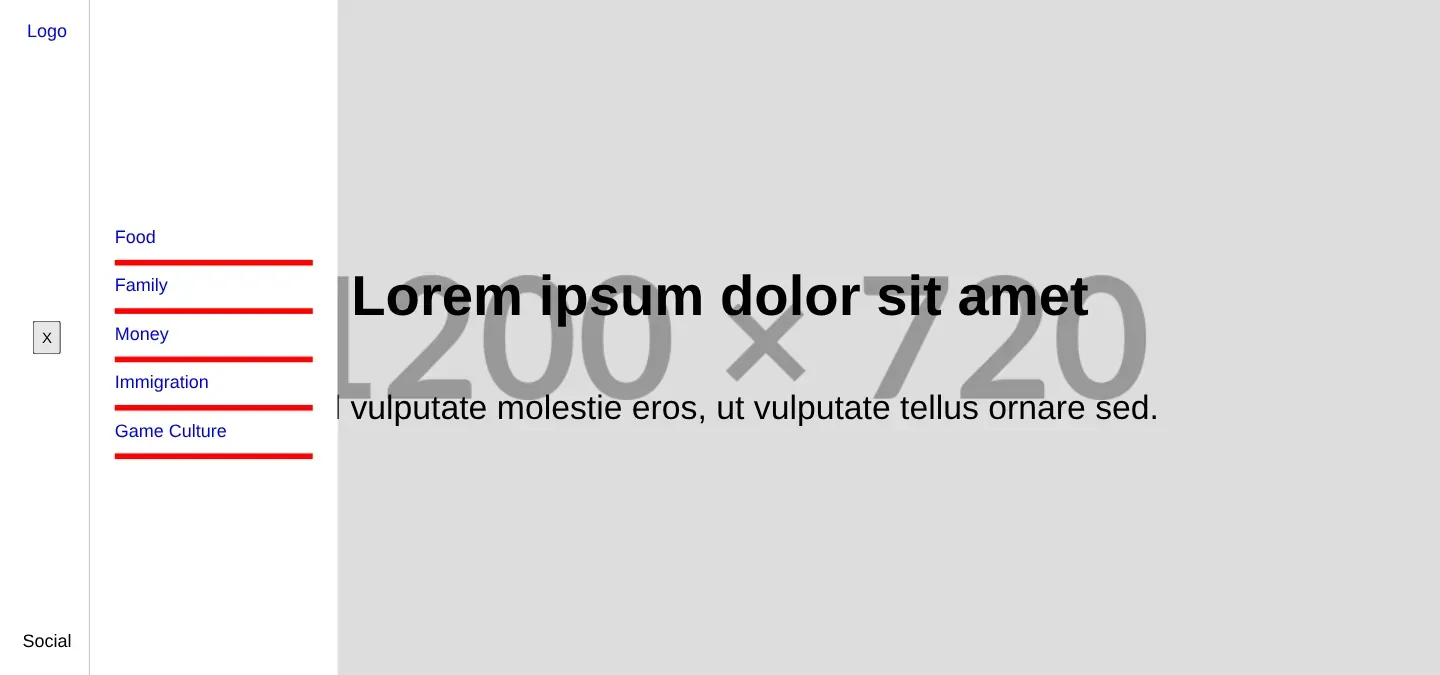
The Food page with the side menu open: the toggle shows an X, and a white panel lists Food, Family, Money, Immigration and Game Culture, each underlined in red, over the banner.
The side menu, opened with the toggle.

How it’s built

It’s React 15.5 with a beta of React Router 4 (react-router-dom 4.0.0-beta.8, installed from the next tag) and yamljs 0.2. The build is an ejected Create React App config on webpack 1.14 and Babel 6, with sass-loader and node-sass added for its one stylesheet, src/index.scss. It still installs and builds with Node 6 and Yarn 1.

The creation date shown here is the GitHub repository’s UTC creation date. The screenshots were captured by running the project locally from its source, with its retired placeholder-image host swapped for an equivalent one, and the code cards show real files from the repository.

Keyboard shortcuts

Shortcuts stay out of text fields. Extra shortcuts are off until you enable them on this device. Ctrl or Command K is always available.

?
Open this help
Ctrl / ⌘ K
Open site search
Alt A
Browse articles
Alt R
Open your reading list
Alt T
Browse topics
Escape
Close dialogs or leave article focus mode