
Qikbar Next is a rewrite of Qikbar, the command bar I first built as a hosted SaaS in 2023. The original had a dashboard where you set up links for your app, and a script you dropped onto the page. The new version is a library you install from npm and configure in code. It’s free and open source under the MIT license, with no account or project key.
import { createQikbar } from "@qikbar/qikbar";

createQikbar({
  routes: [
    { path: "/", title: "Dashboard", icon: "home" },
    { path: "/settings", title: "Settings", icon: "settings" },
  ],
  commands: [
    {
      title: "New project",
      icon: "plus",
      shortcut: "c p",
      run: () => openNewProject(),
    },
  ],
});
Press ⌘K and the bar opens.
From a dashboard to a library
The original Qikbar was a Next.js monorepo with a marketing site and a dashboard. Teams added sites, routes, categories and commands in the dashboard. Postgres stored them, and Stripe handled billing. The widget fetched that configuration at runtime and rendered it with React and Tailwind.
That made the command bar only as smart as what someone typed into a form. It couldn’t search your data, run your code, or follow your router. The rewrite moves everything into code, next to the app it belongs to:
- Static dashboard links become
routesandcommands. - Dynamic content from your API becomes
sources, searched as you type with debouncing and cancellation. - Client-side navigation goes through a
navigatefunction, so it works with Next.js, React Router, Vue, SvelteKit, Astro or plain links. - The drop-in script still exists. A script-tag build with
autoIndex: truereads your navigation and turns it into commands with no setup.
The package kept its name. @qikbar/qikbar 0.0.25 was the SaaS widget, published in February 2023. Version 0.1.0 is the rewrite, published on 12 October 2026. The docs include a migration guide from the SaaS, and from cmdk, kbar and ninja-keys.
What it does now
- Fuzzy search that understands word starts, acronyms and typos, and ranks the things you use most first. The README puts it at about 3 ms for 10,000 items.
- Views: commands can push lists, grids, Markdown details, forms and AI chats, with breadcrumbs and back.
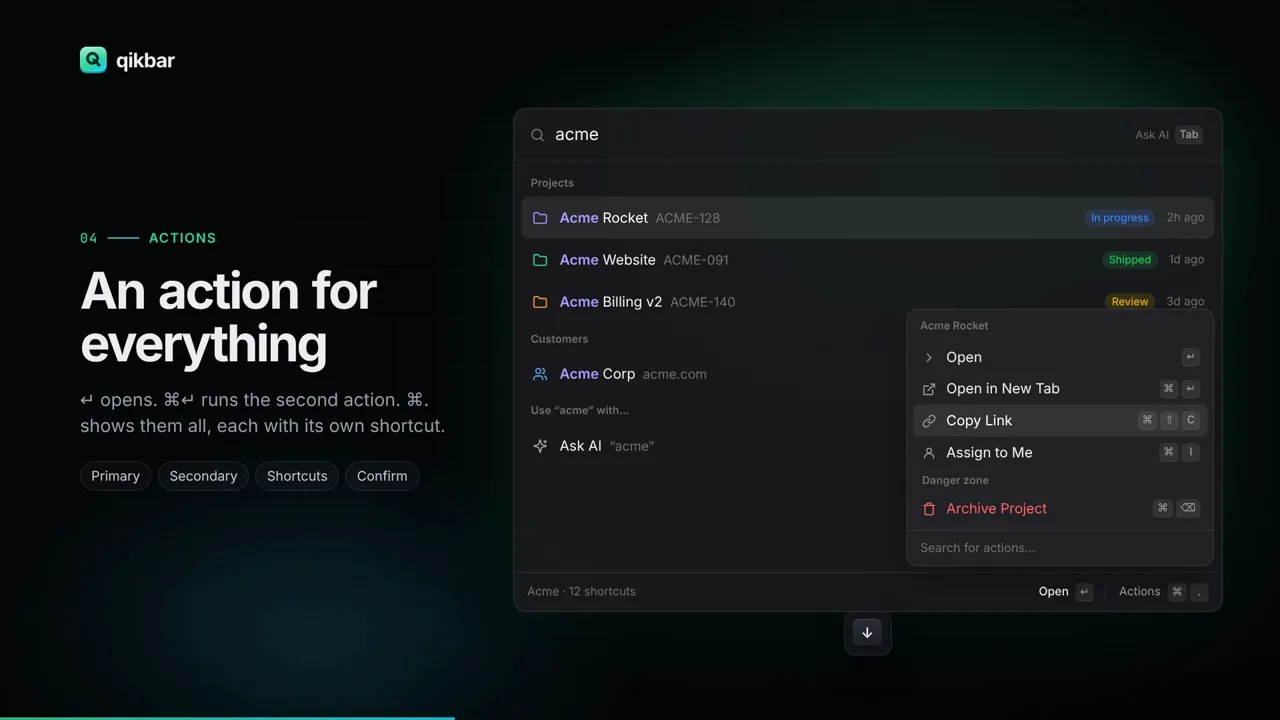
- Actions: Enter runs the primary action and ⌘Enter the secondary one. ⌘. opens a Raycast-style action panel where each action has its own shortcut, and destructive ones can ask for confirmation.
- Extensions: commands, sources, AI tools and preferences packaged into one portable bundle, in the spirit of Raycast. Calculator, theme switcher, page, AI actions and shortcuts are built in, and the site has eleven examples, including weather, currency, npm, Wikipedia, GitHub and Hacker News.
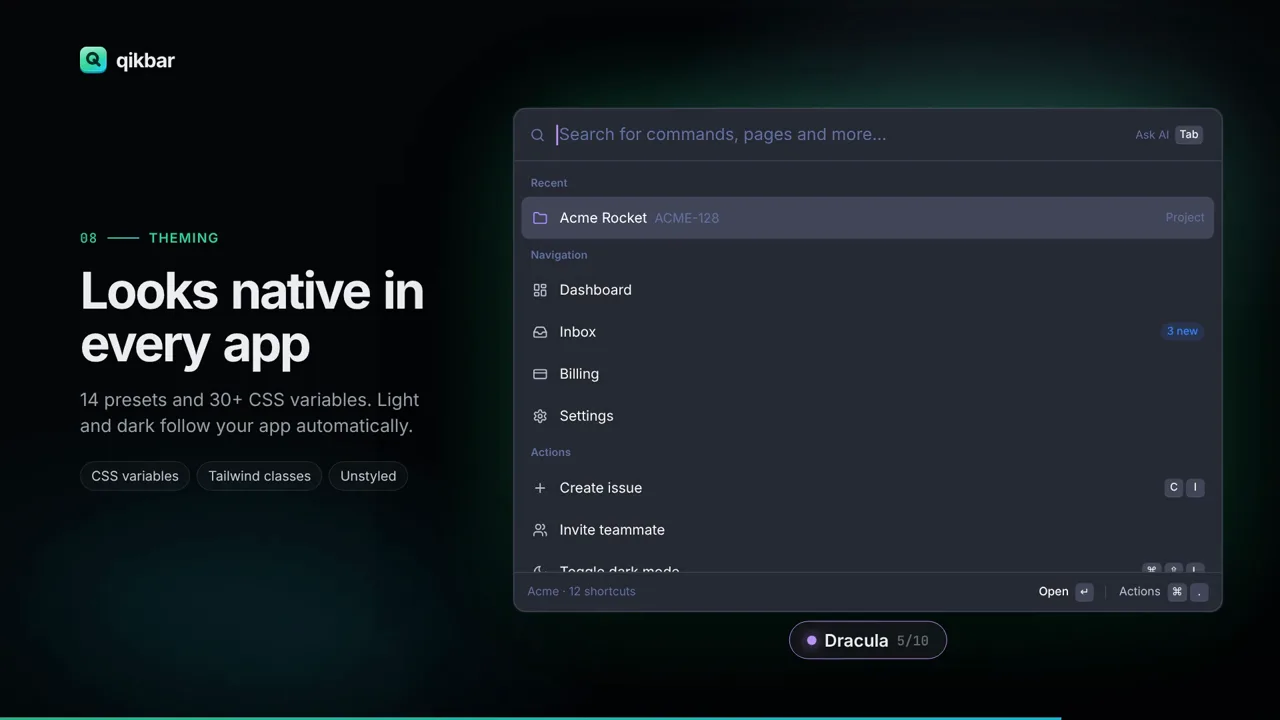
- Theming: 14 presets, more than 30 CSS variables, automatic light and dark, Tailwind-friendly slot classes, or fully unstyled.
AI that acts
Press Tab in the bar to ask instead of search. The model can run your commands, search your sources and read the page, and it asks before doing anything destructive. Ask it to “take me to billing for acme” and it searches for Acme, opens the customer’s billing page, and summarizes the latest invoice.
It works with Claude, GPT, Gemini, Ollama, any OpenAI-compatible API, and Chrome’s on-device model. Each provider talks to the API directly, with no SDKs. You can keep keys on your server with the createHandler proxy, which runs on Next.js, Hono, Express, Bun and Workers, or let users bring their own key.

There’s also a setup prompt to paste into Claude Code, Cursor, Copilot or Codex. The agent reads your router, pages and API and wires Qikbar into your app. The full docs are available to agents as llms-full.txt.
How it’s built
The library is about 7,500 lines of TypeScript with no runtime dependencies. On page load only a small bootstrap loads. The bar’s UI is a separate chunk that loads when the browser is idle, or right away the first time you open it, and long lists are virtualized. It ships as one package with entry points for the core, React (<Qikbar>, useCommands, useSource), the server proxy, extensions, themes and utilities, plus a global build for a script tag. Vitest and happy-dom cover search, hot keys, Markdown, the AI loop and the React bindings.
The repository is a Bun workspace. Alongside the library, it has the qikbar.com site, built with Astro, with more than 40 docs pages, a playground, a theme builder and the extensions gallery. It also has vanilla and React examples, and a Remotion project for the product film. The site runs on Railway from a Dockerfile, and GitHub Actions typechecks, tests and builds everything on each push.
Try it
Install it with npm install @qikbar/qikbar, or try it on qikbar.com by pressing ⌘K. The playground and theme builder run in the browser, and the repository has the source, examples and contributing guide.
The creation date shown here is the GitHub repository’s UTC creation date. The images and video on this page come from qikbar.com and its product film.