
Shattter is a gag app that breaks your screen, or makes it look that way. Tap the glass and a crack web spreads from your finger. Keep tapping and the pane bursts into shards, then repairs itself. Lay the glass over a fake Lock Screen first, and you can hand your phone to a friend.
It runs on iPhone and iPad, and it’s built around the iPhone Duo, the foldable iPhone: unfold it and bend the hinge, and stress cracks run out along the crease. It’s native UIKit and SwiftUI with no third-party dependencies, and it has no accounts, ads, tracking or network access. The repository’s ten commits span about nine and a half hours, from the first build to finished App Store screenshots. The source is public, but the repository has no license file.
Breaking glass
- Taps. Every tap leaves its own crack web, and tapping the same spot again spreads it. After the number of hits you choose (1, 2, 3, 5, 8 or never), cracks race across the whole pane and it bursts.
- The hinge. Unfolded on an iPhone Duo, bending the hinge cracks stress webs out along the crease, with crackling sounds and haptics, until the pane gives way.
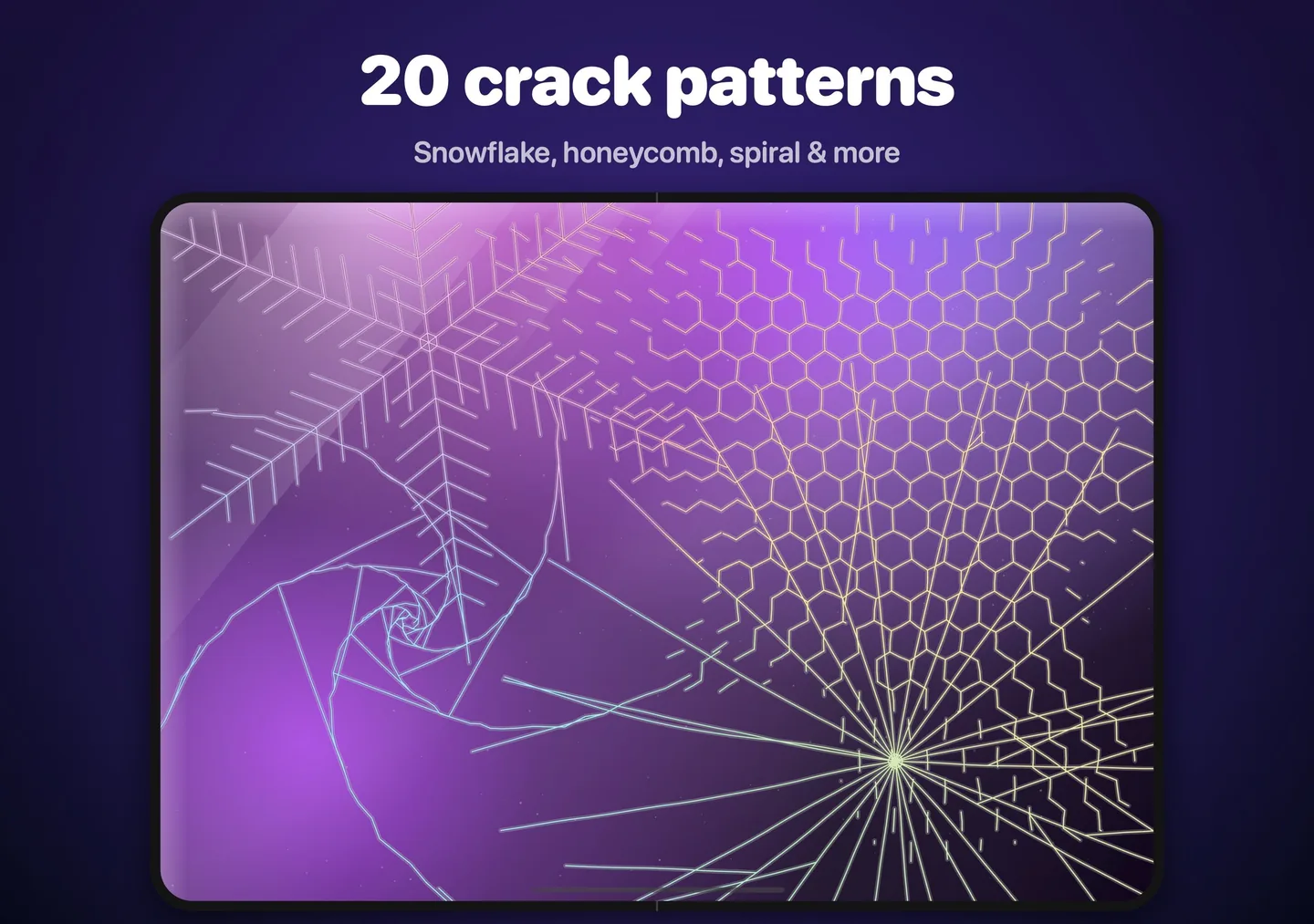
- 20 crack patterns, each distinct even from a single hit: Spider Web, Bullseye, Starburst, Buckshot, Lightning, Tempered, Shear, Corner Drop, Pebble Chip, Hairline, Spiral, Honeycomb, Daggers, Edge Split, Ripple, Fault Line, Snowflake, Crater, Chaos and Double Tap. Surprise Me picks a different one every hit.
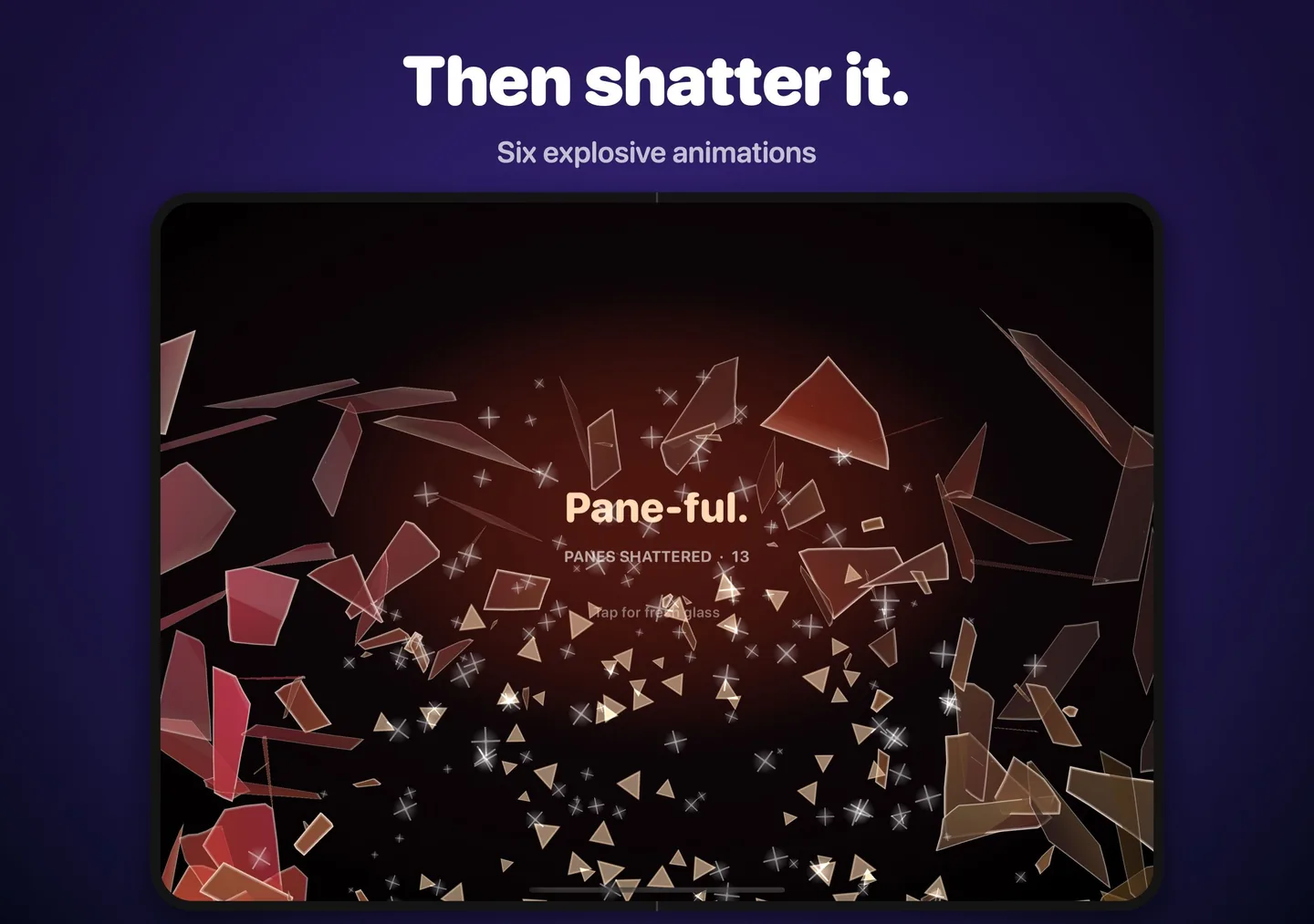
- Six shatter animations: Explode, Crumble, Black Hole (the shards spiral into the impact, then pop), Blast, Slow-Mo, and Hang & Drop.
- Repairs: Fade In with a fresh pane, or Rewind, where the shards fly back and reassemble.
- 10 sound packs: Phone Screen, Window Pane, Wine Glass, Bottle Smash, Car Window, Mirror, Crystal, Ice Crack, Cartoon and 8-Bit. Tapping one in the options plays a preview.
Shaking the phone smashes it outright. The options are hidden on purpose so a prank stays convincing: hold anywhere with two fingers to open them.
Pranks
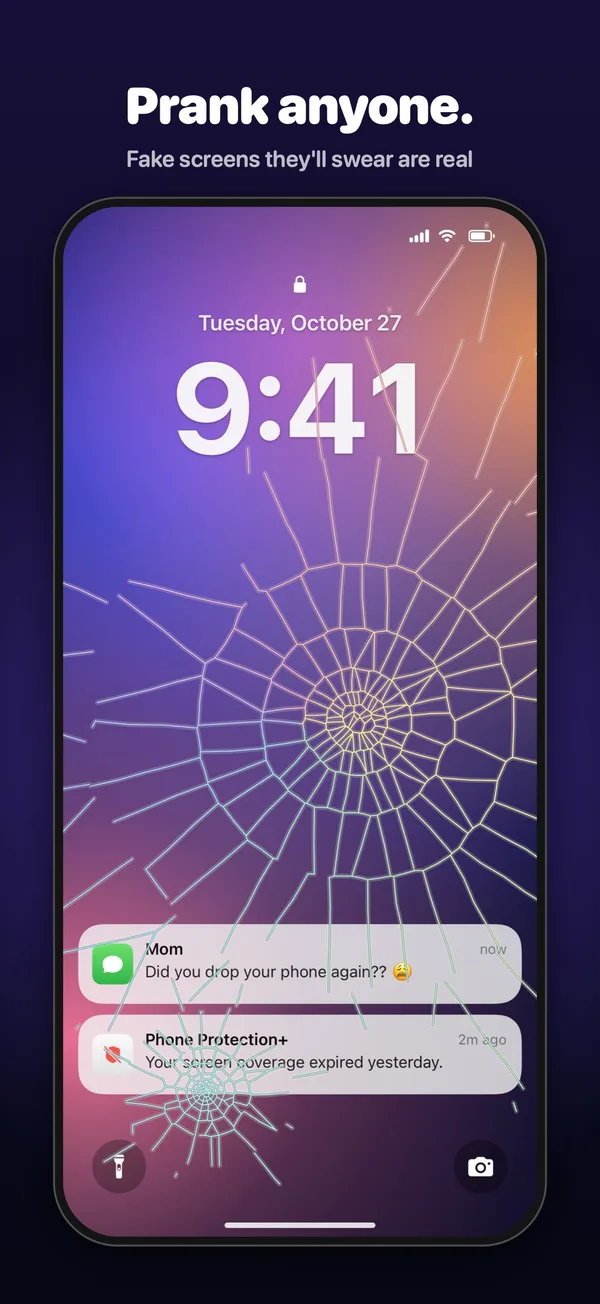
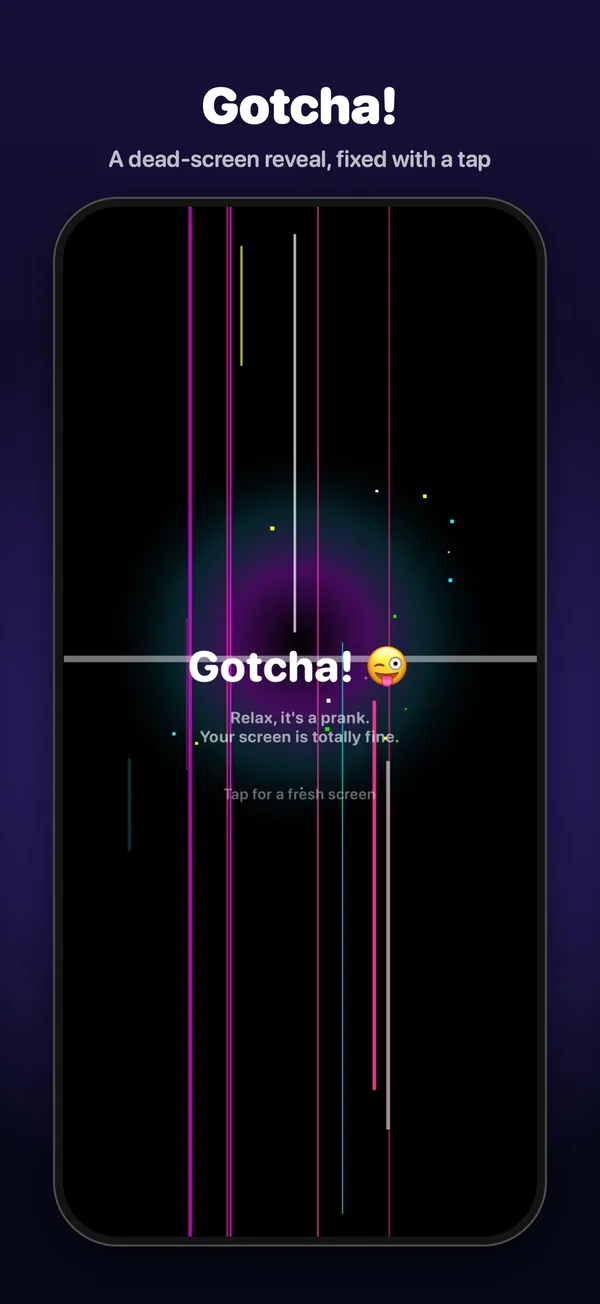
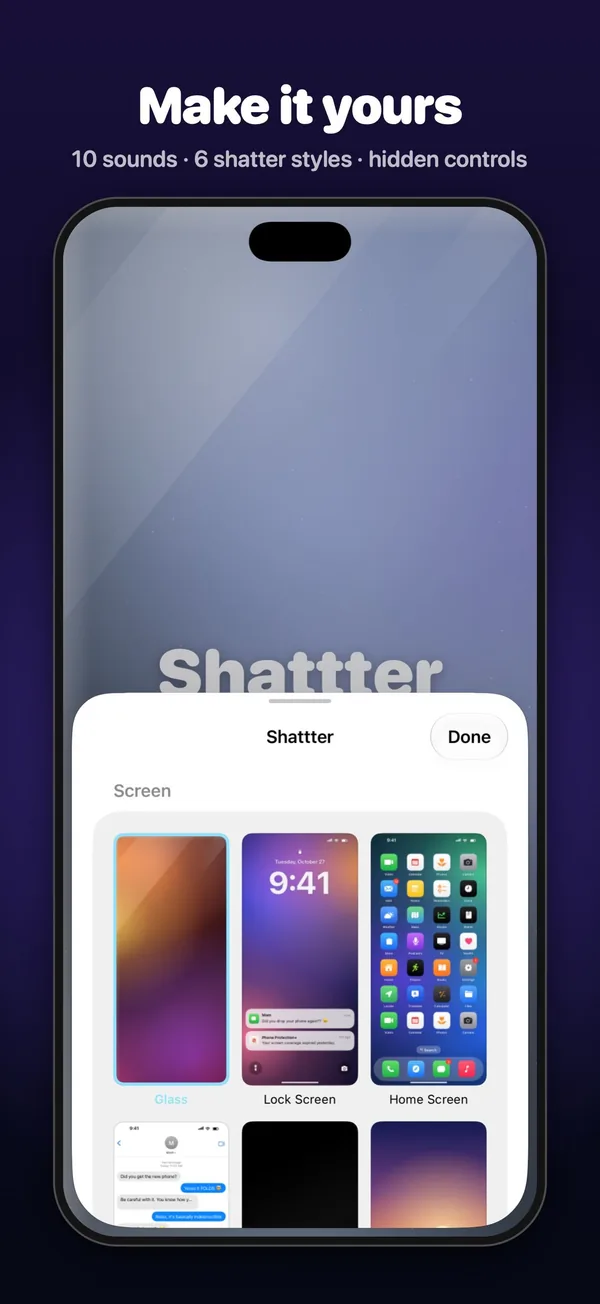
The glass can sit over a convincing fake Lock Screen, with the live time and a “Did you drop your phone again??” notification, or over a fake Home Screen, Messages thread, switched-off screen or photo. The fake screens are drawings made by the app, so they never read your real notifications, messages or photos. When a fake screen breaks, it shows a dead, bleeding LCD, then “Gotcha!” if you’ve turned that on. The app’s title shows only briefly on the plain glass screen, and never on a fake one.
Crackgate mode
Crackgate mode recreates the October 2026 reports of iPhone Duo inner displays cracking (9to5Mac, MacRumors, Engadget on iFixit’s teardown). Turn it on, fold the phone and hand it over. As it unfolds, something catches in the hinge and there’s one loud crack. A thin crack runs along the crease from a spot in its lower half, just below the hinge cable, which the README says is where iFixit found the center support bar’s stress point. A band of stuck bright pixels then runs from the break across one half of the screen. It’s usually white, with iFixit’s green-line variant now and then. Finally a “#Crackgate · $999” gotcha card appears. On iPhones and iPads that don’t fold, a tap sets it off.

The screenshots on this page are the App Store screenshots from the repository. Debug builds stage each scene from launch arguments, a script captures them from the iOS Simulator, and two small programs add the captions, including native-size images for both of the iPhone Duo’s displays.
How it’s built
Shattter is about 4,900 lines of Swift. The glass is a UIKit view, and the options sheet is SwiftUI. FractureGeometry.swift builds seeded, grid-accelerated Voronoi fractures, plus procedural cracks for all 20 patterns, hinge stress webs and multi-impact patterns, and neighboring shards share identical jagged edges. A separate renderer draws the pane and pre-cuts shard sprites off the main thread while the cracks spread. On the iPhone Duo, UIHingeInteraction from iOS 27.1 reports the hinge angle and status.
There are no audio files. GlassSynth.swift synthesizes every sound from noise-excited resonator shards, micro-fracture crackle, a band-limited crash, ringing pane modes and a diffuse room, and each sound pack is a recipe for it. The rendered sounds play through pooled AVAudioPlayers. A comment in the code explains why: they ride out the audio route changes that happen when the phone folds or unfolds, where a player node on an AVAudioEngine raises an exception. Haptics use Core Haptics.

GlassSynth.swift.Nine unit tests check that shards tile the pane, that hinge fractures start at the crease, that cracks reveal outward, that patterns are deterministic, that the grid-accelerated Voronoi matches a brute-force version, that every sound pack renders every effect, and how fast fractures are built. The Xcode project is generated with XcodeGen. Two small command-line tools reuse the fracture code: one renders crack patterns to a PNG for tuning, and the other renders the app icon. The website, with support and privacy pages, is plain HTML on GitHub Pages.
Getting it
The website says Shattter is coming soon to the App Store. The README covers building it yourself: generate the project from project.yml with XcodeGen, then build and test it with xcodebuild on the iPhone Duo and iPhone simulators. A script archives a Release build and uploads it to App Store Connect for TestFlight. It works on any iPhone or iPad with iOS 26 or later, and the hinge effects need a foldable iPhone.
The creation date shown here is the GitHub repository’s UTC creation date. The screenshots on this page come from the project’s repository, and the code excerpt is from GlassSynth.swift.