
Stitchcraft turns an image into a counted cross-stitch pattern. Upload a photo or a drawing, crop and adjust it, choose a size, a fabric and how many colors to use, and it builds a chart in real DMC floss colors. You can edit the chart stitch by stitch, track your progress, and print it as a booklet with a cover, a floss key and numbered chart pages.
It all runs in the browser. Accounts, patterns and your floss stash are stored locally, and nothing is sent to a server. The repository was created on December 30, 2025, and its listed homepage, a Vercel address from that time, no longer answers. The code in it now comes from October 12, 2026: one commit that adds the whole app, and one that removes a Railway config file. No public deployment of this version is linked.
Features
- Upload by drag and drop, the file picker or pasting. Transparent PNG backgrounds stay unstitched.
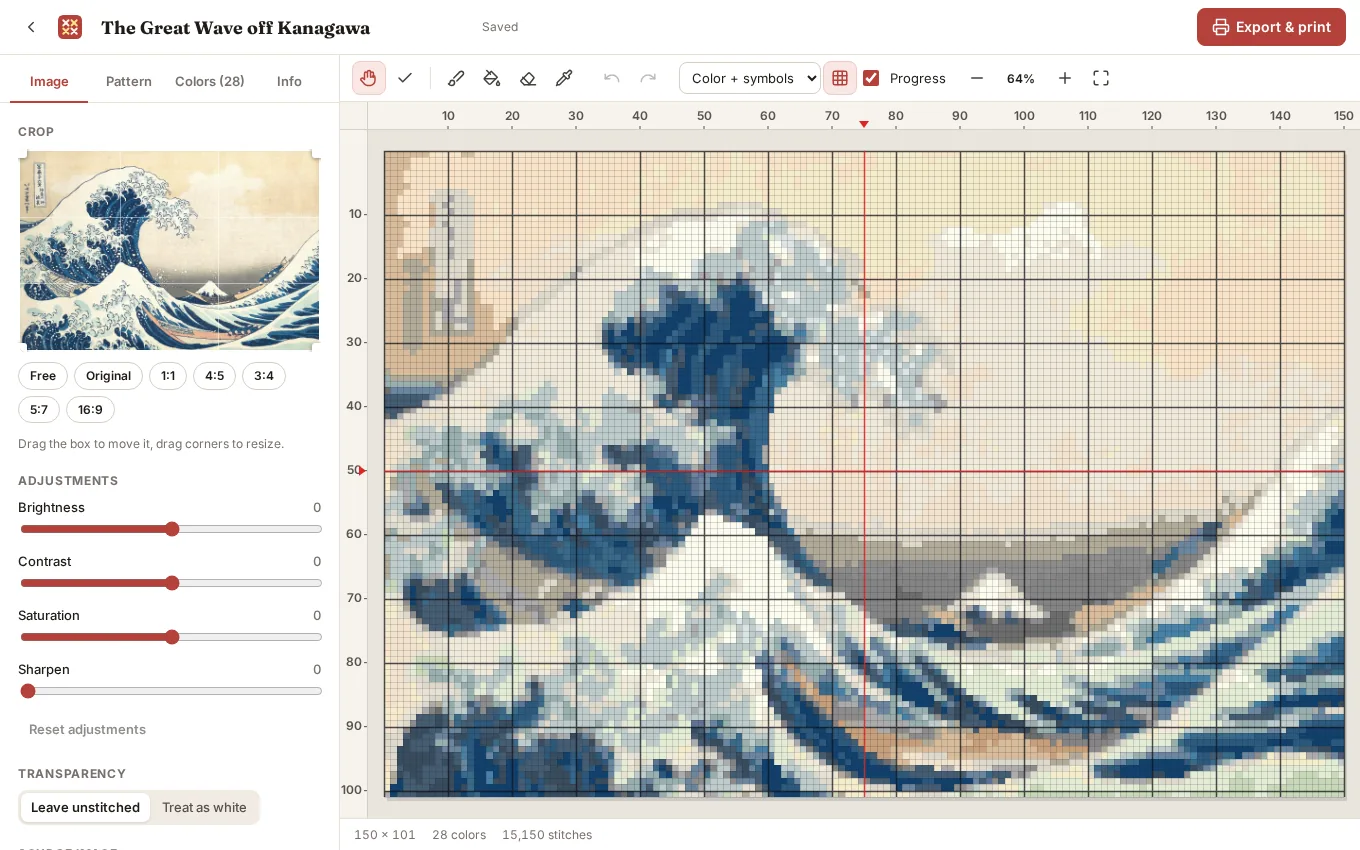
- Image tools. Crop with aspect presets, and adjust brightness, contrast, saturation and sharpening.
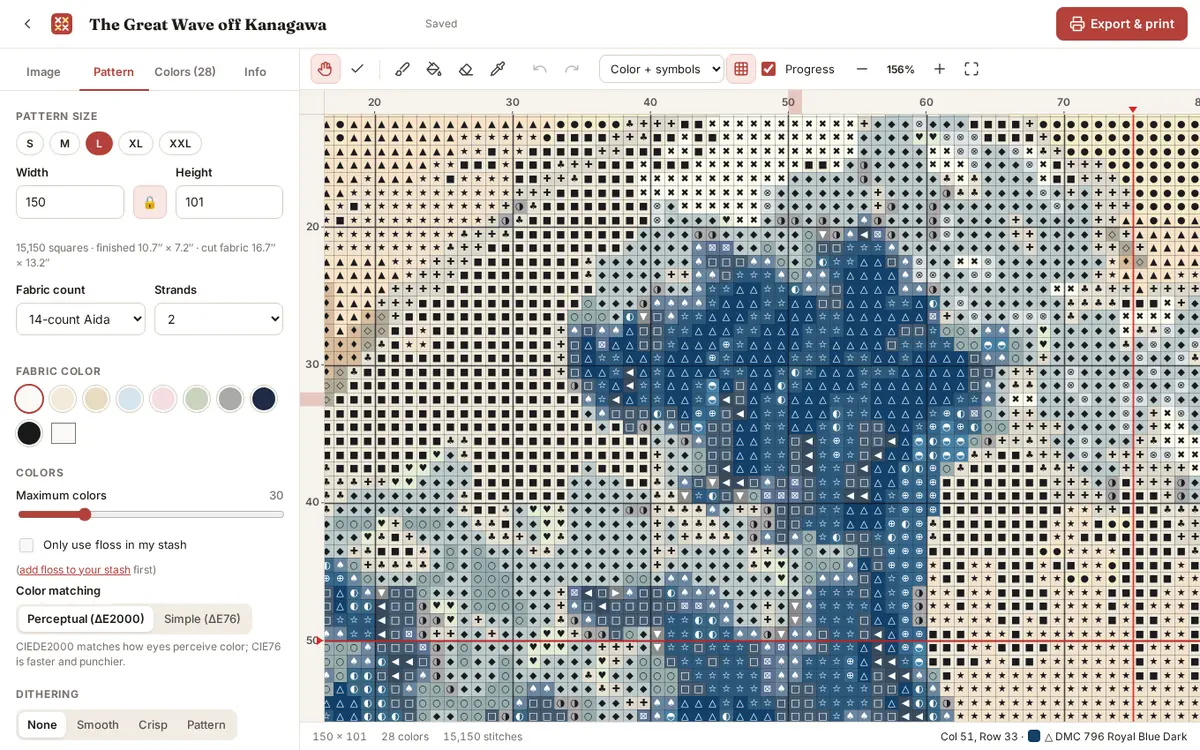
- Pattern settings. Sizes up to 500 by 500 stitches with an aspect lock, fabric counts from 11 to 32, strands, fabric color, a maximum number of colors, and an option to use only floss you already own. Colors match perceptually with CIEDE2000 or faster with CIE76, with optional dithering and cleanup of stray stitches and rarely used colors.
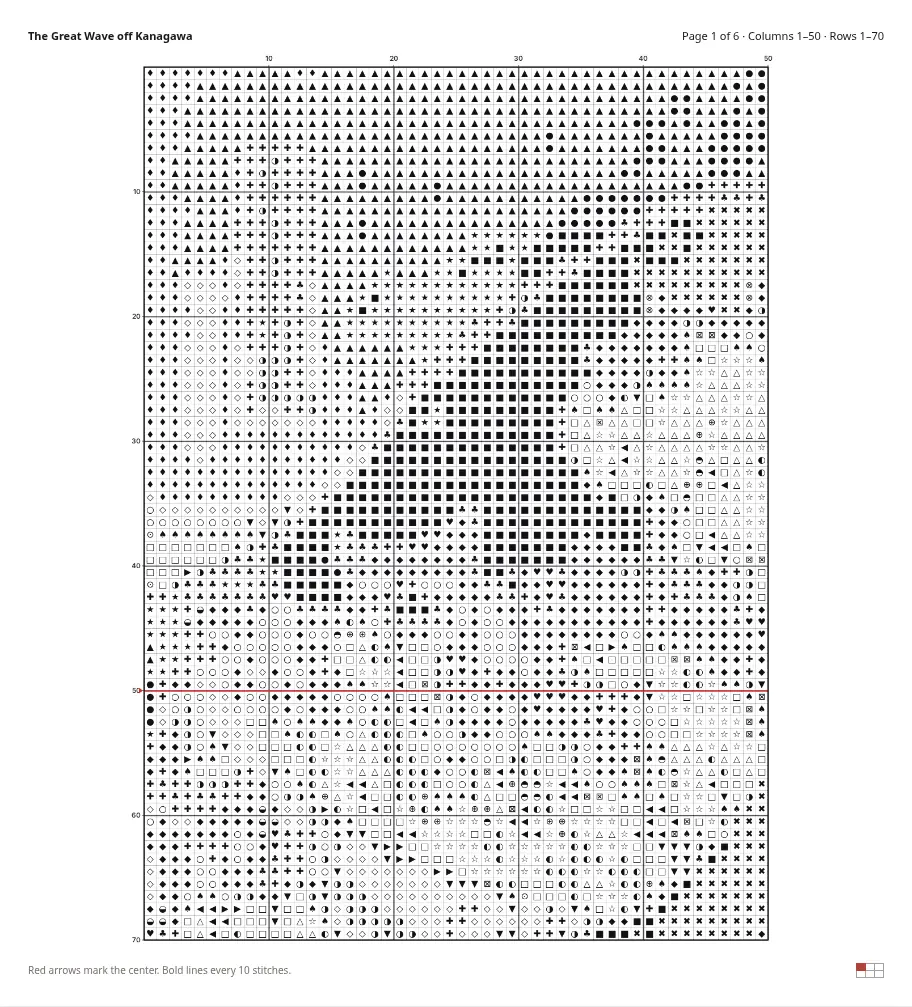
- Chart views. Color with symbols, color blocks, black-and-white symbols, and a stitched preview. Bold lines every 10 stitches, center markers, rulers, and zoom, pan and pinch.
- Editing. Paint, flood fill (Shift replaces a color everywhere), erase to bare fabric, an eyedropper, and undo and redo.
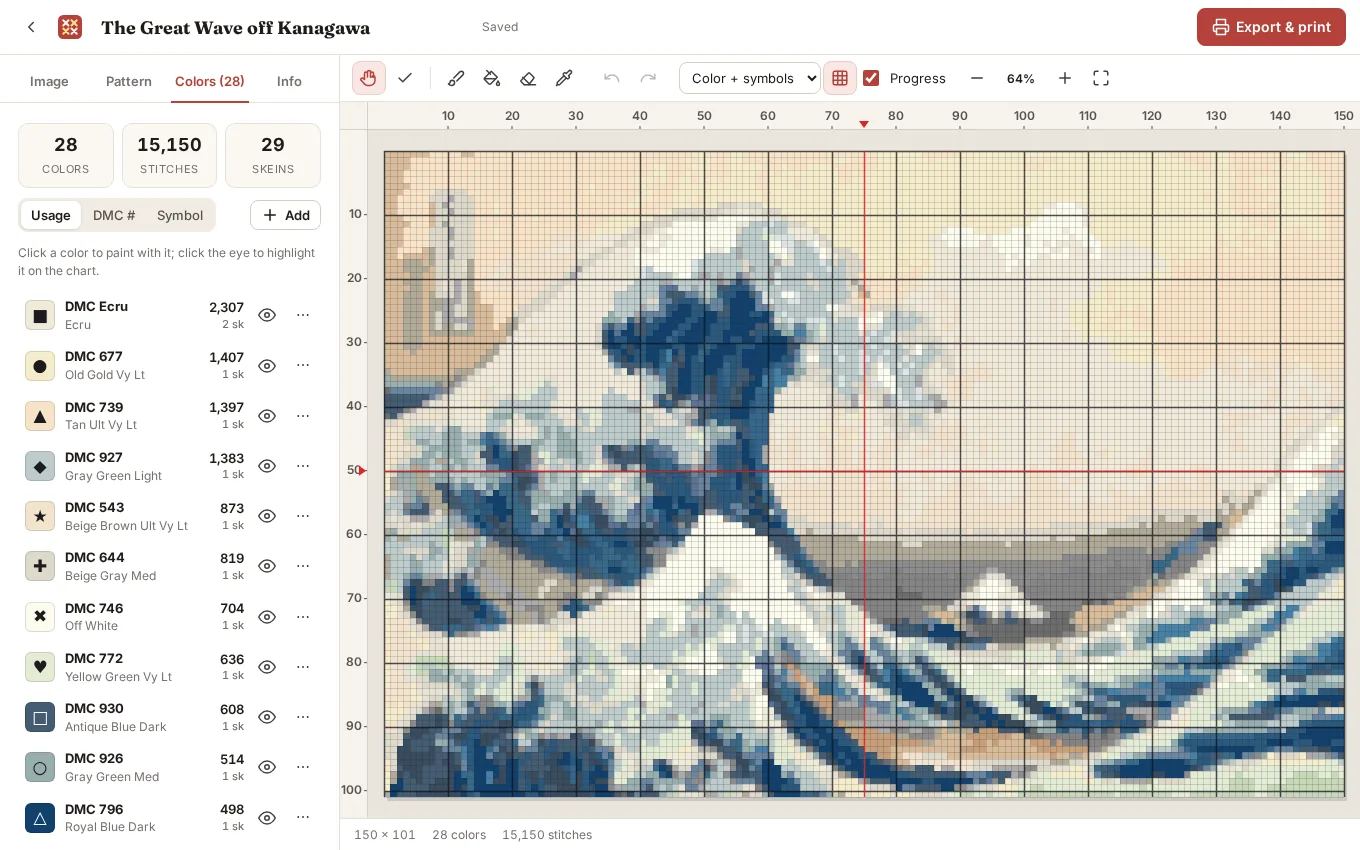
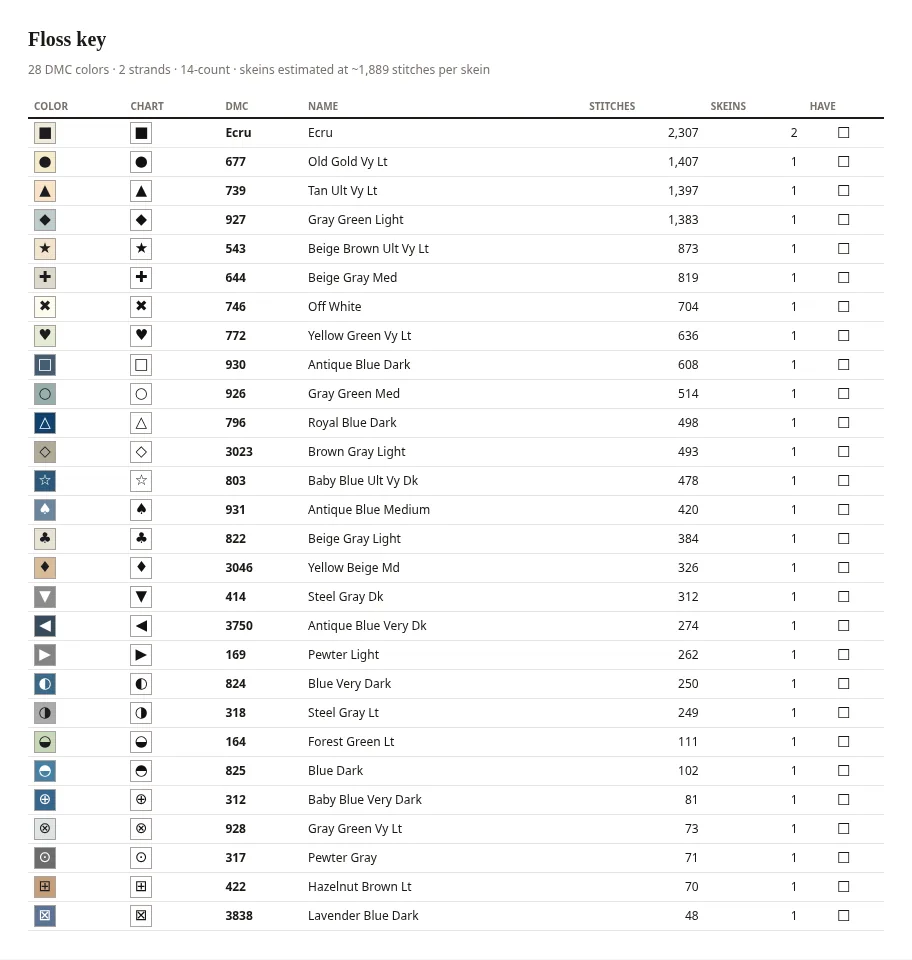
- Palette. Stitch and skein counts for each color. Highlight a color on the chart, swap its floss, change its symbol, or merge and remove colors.
- Progress. Mark stitches as done, or Shift-click to mark a whole area, with progress for each color and overall.
- Accounts. Local accounts with a pattern library, a floss stash, default settings, and backup and restore.
How a pattern is made
Generation runs in a Web Worker, so the page stays responsive while it works.
- Apply the image adjustments, then convert every pixel to CIELAB, a color space built around how people see differences in color. Mostly transparent pixels stay unstitched (or count as white, if you choose), and partly transparent ones are blended over white.
- Cluster the colors with k-means++. It asks for about 1.6 times as many clusters as the color limit, because several clusters often land on the same floss.
- Snap each cluster to the nearest of 454 DMC colors with CIEDE2000 (or CIE76), weighted by how many pixels it covers. The least-used floss merges into its nearest neighbor until the palette fits the limit, and three refinement passes reassign pixels and re-snap each floss to the mean of its pixels.
- Map every stitch to the palette, either directly or with Floyd–Steinberg, Atkinson or ordered Bayer dithering, which the app calls Smooth, Crisp and Pattern. Error diffusion scans in a serpentine order to reduce streaks.
- Clean up confetti, replacing a stitch with no same-colored neighbor by the most common color around it. Then merge colors with too few stitches into their nearest neighbor and sort the legend by usage.
Skein counts come from a model of an 8-meter skein of six-strand floss, the fabric count, the number of strands, and an allowance for waste. The cut fabric size adds 3 inches on every side for framing.
Printing and export
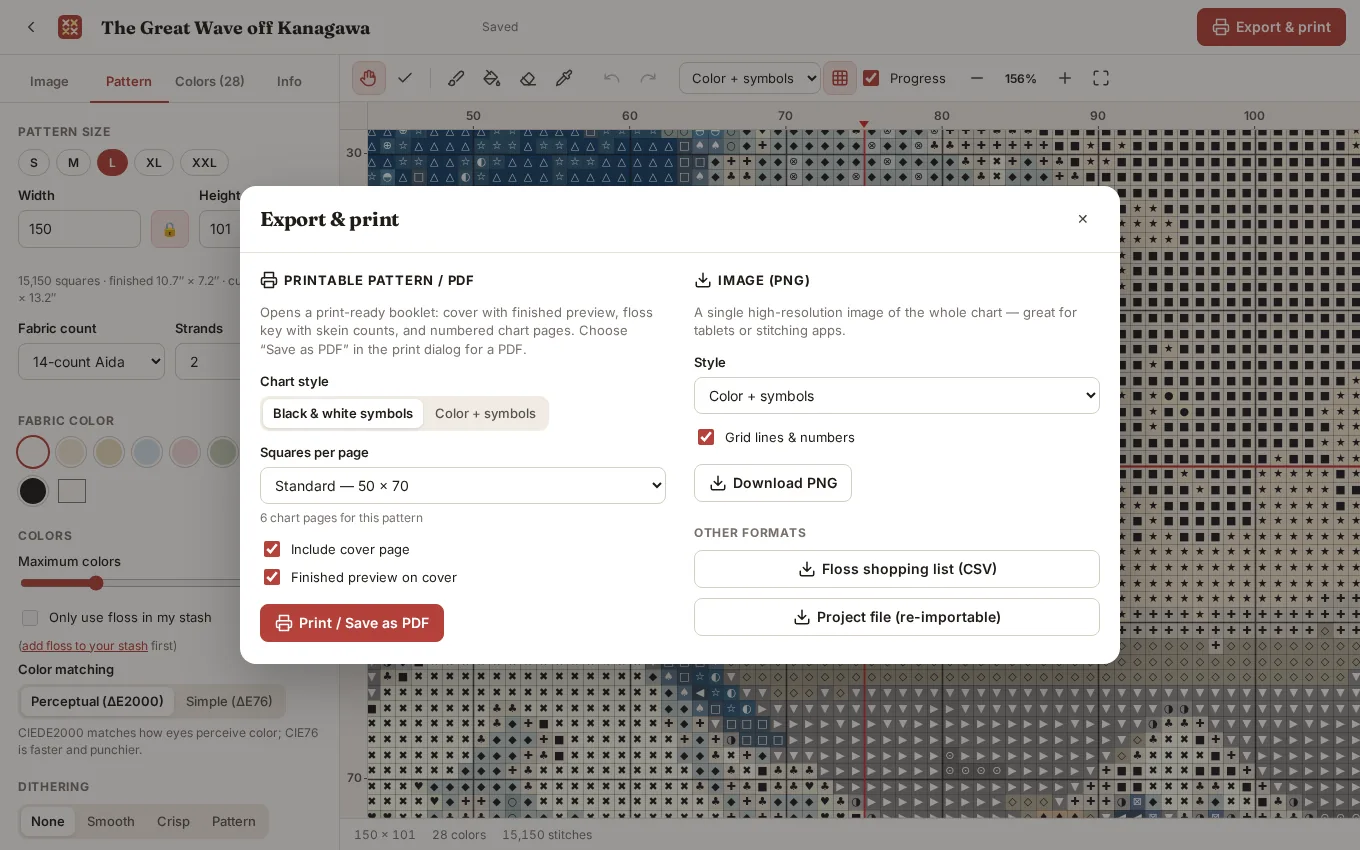
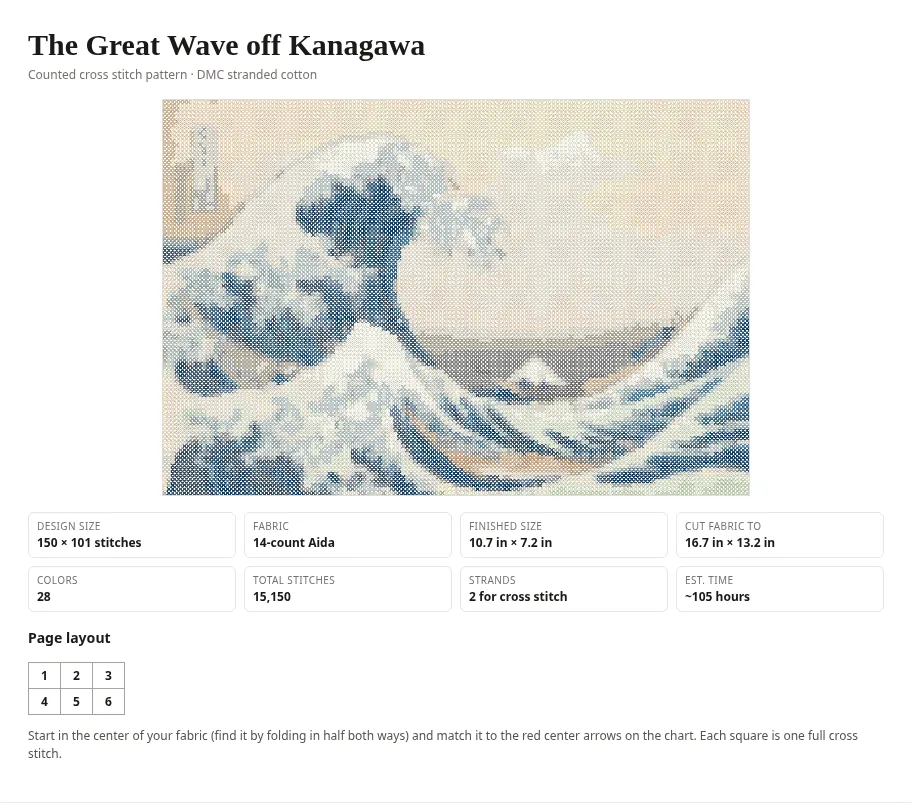
Export & print opens a booklet in a new window for the browser’s print dialog, where you can save it as a PDF. It has a cover with a stitched preview and the finished size, a floss key with skein counts and a checkbox for each floss, and chart pages numbered on a page map, in black-and-white symbols or color. The chart also exports as a single PNG, the floss as a CSV shopping list, and the whole project as a file you can import again.
How it’s built
Stitchcraft is React 19 and TypeScript 7, built with Vite 8, and it has no other runtime dependencies. The color conversion, clustering, floss matching, dithering, chart rendering on a canvas, and the exporters are all its own code, along with the table of DMC colors. Passwords for the local accounts are salted and hashed with PBKDF2 through the Web Crypto API and kept in localStorage with the account list, and patterns are saved in IndexedDB. A small Node.js server serves the built files in production, and the repository was set up to deploy on Railway.
Running it
With Node.js 20 or later, run npm install and npm run dev for the Vite dev server. npm run build type-checks and builds into dist/, and npm start serves it on $PORT.
The creation date shown here is the GitHub repository’s UTC creation date. The screenshots were captured by running the app locally from its source, with a pattern made from the Metropolitan Museum of Art’s public-domain scan of Hokusai’s The Great Wave off Kanagawa, downloaded from Wikimedia Commons.