
Thumb Potato keeps track of the games you mean to play. It finds games across Nintendo Switch 2 and Switch, PlayStation 5 and 4, Xbox Series X|S and One, PC, Mac and mobile, shows where to buy them, and keeps your backlog in one place. It counts down to release dates, plans play sessions, and picks something for you when you can’t decide.
It’s the gaming sibling of Couch Potato, my app for deciding what to watch, and it’s built on the same structure: a native SwiftUI app for iPhone, iPad, iPhone Duo and Mac, and a Jetpack Compose app for Android. Like Couch Potato, it works without an account or an API key. It’s free and open source under the MIT license, and the website has the tour.
Your backlog, sorted
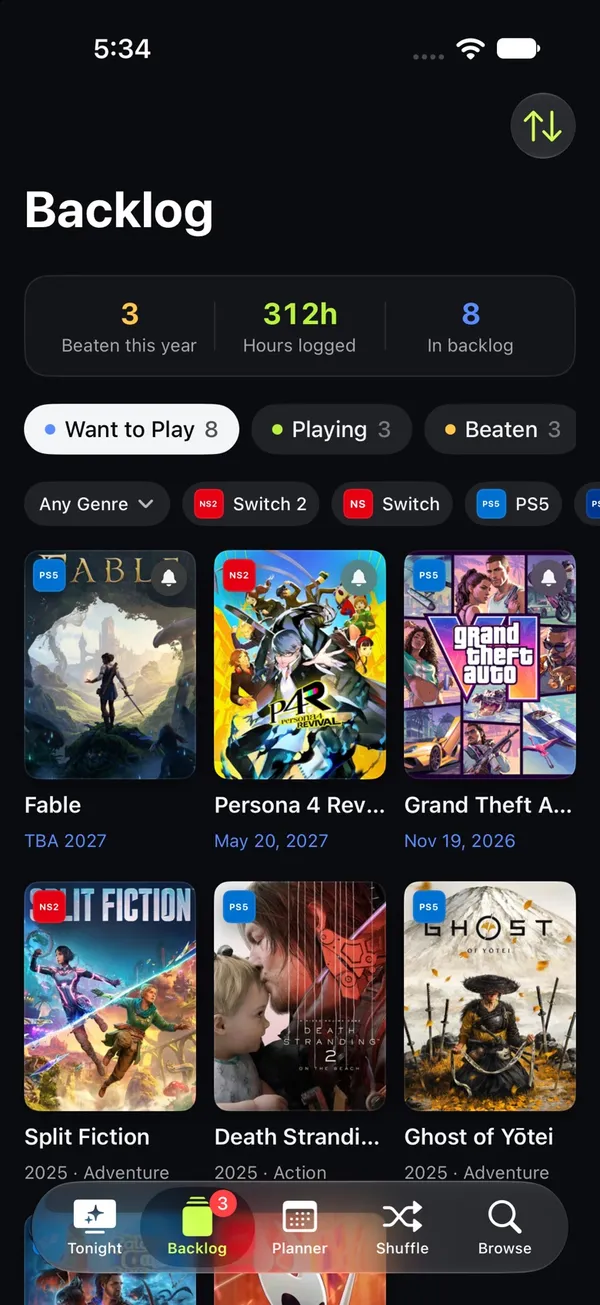
The Backlog has four shelves: Want to Play, Playing, Beaten and Shelved. Each game records the platform you’re playing it on, hours played, progress, whether you own it, a 5-star rating and notes. You can filter by platform or genre, and sort by date added, title, rating or release date. A card at the top counts the games you’ve beaten this year, the hours you’ve logged and the size of the backlog.
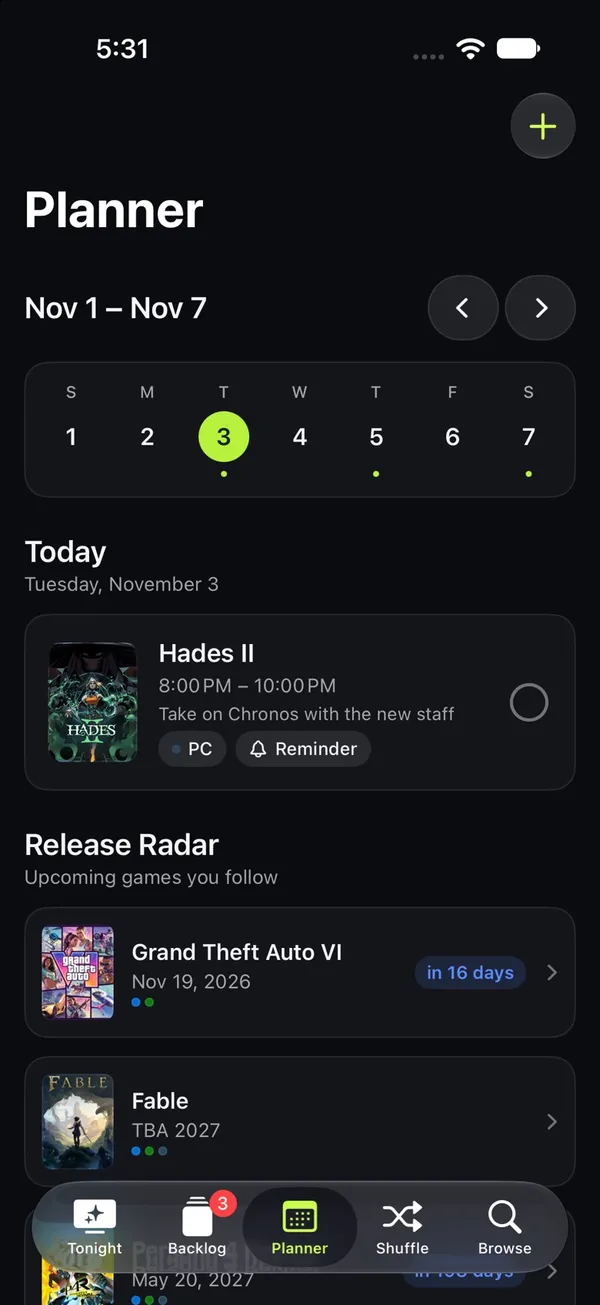
The Planner schedules play sessions on a week view, adds them to your calendar and reminds you. Below it, the Release Radar lists games you follow that aren’t out yet. Each gets a countdown and a release-day alert.
Finding the next game
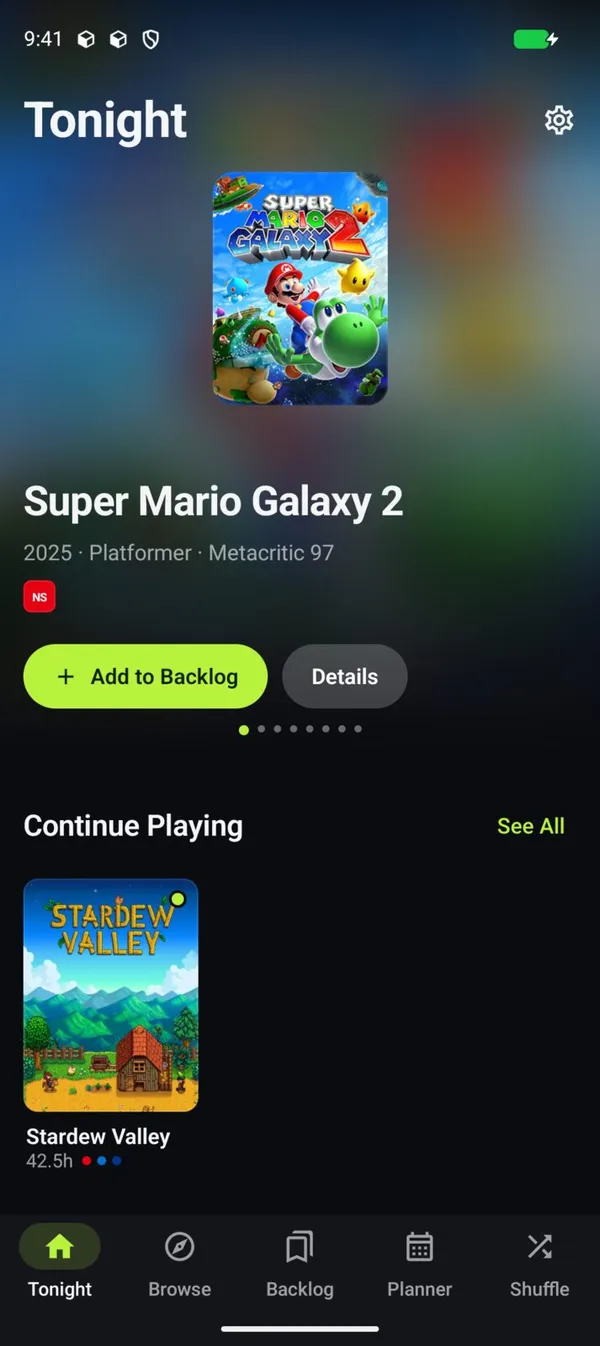
The app opens on Tonight: a featured carousel, Continue Playing, New Releases, Coming Soon, “Top on …” rows for the platforms you own, Steam top sellers and PC deals.
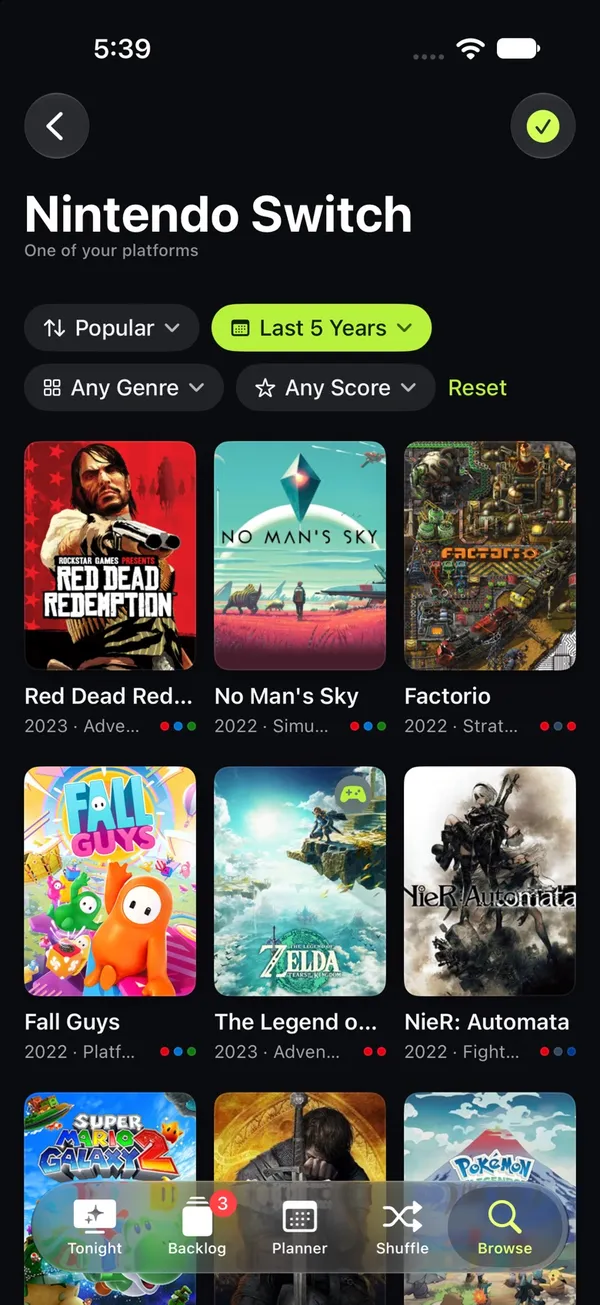
Every platform has its own page. It sorts by popularity, newest, top rated or A to Z, and filters by release window, including games that aren’t out yet, genre and critic score. Moods (Cozy, Adrenaline, Epic, Couch Co-op, Spooky and Brainy) are there for when you know the feeling but not the game.
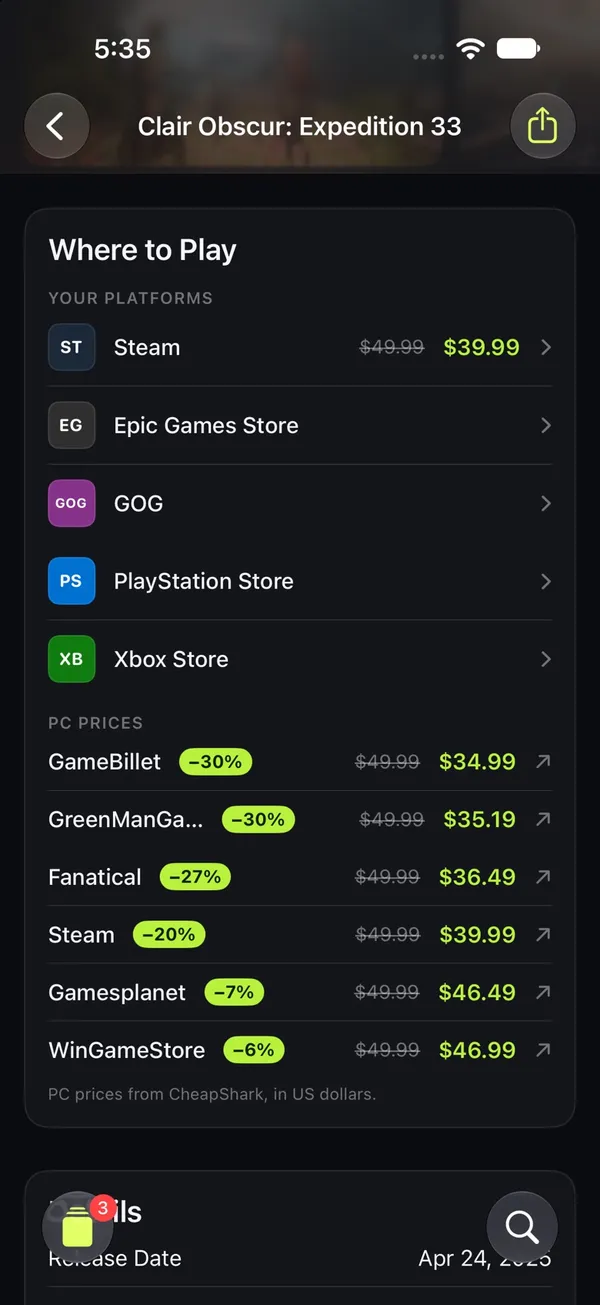
A game’s page has hero art, the critic score, Steam Deck status, screenshots and trailers. Where to Play links to the stores for every platform the game is on, yours first, and lists live PC prices across Steam, GOG, Humble, Epic and more.

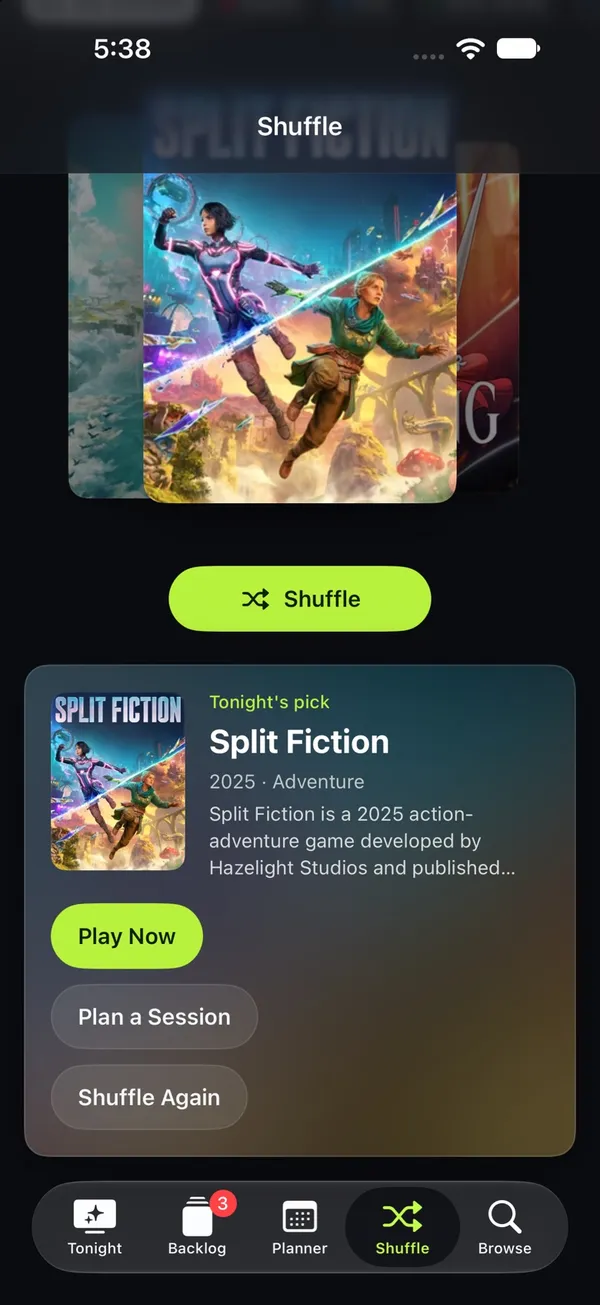
Shuffle is for when nothing jumps out. Pick a mood, how long you’ve got and which console you’re on, and the deck picks from your backlog or from what’s popular. Play it now, plan a session for later, or shuffle again.
Sync
On Apple devices, the backlog and sessions sync through iCloud with SwiftData and CloudKit, and settings sync through iCloud key-value storage. Handoff carries the game you’re looking at from one device to another. Android keeps everything on the device, and both apps export and import the same JSON backup, which merges so the newest changes win.
The layouts follow the screen. The iPad and Mac get a sidebar of your platforms, phones get a tab bar, and the iPhone Duo uses its side-mounted tab bar both folded and unfolded. On Android, phones get a bottom bar and wide or unfolded screens get a navigation rail.
Where the data comes from
Out of the box, Thumb Potato uses its own catalog of about 4,700 games across nine platforms. A GitHub Action rebuilds it every day with a Python script that uses only the standard library, and publishes it with the website on GitHub Pages as JSON files. It’s built from:
- Wikidata: platforms, release dates, genres, studios and critic scores (CC0).
- Wikipedia: box art and descriptions.
- Steam: library art, hero backdrops and Steam Deck ratings.
The apps also use live data. Wikipedia provides full descriptions and search, Steam provides top sellers, new releases, screenshots, trailers, reviews and prices for PC and Mac games, and CheapShark provides PC prices and deals across stores. A free RAWG key in Settings adds live search and browsing across RAWG’s full database.
Thumb Potato isn’t affiliated with Nintendo, Sony, Microsoft, Valve or any store. Platform and store names appear as text and monograms, not logos.
How it’s built
The structure mirrors Couch Potato. The repository’s spec maps one to the other: services become platforms, the watchlist becomes the backlog, episode progress becomes hours played, and upcoming episodes become the Release Radar. Couch Potato’s TMDB key becomes an optional RAWG key, and its TVmaze and iTunes data become the game catalog, Wikipedia, Steam and CheapShark.
The Apple app is one multiplatform SwiftUI target for iPhone, iPad and Mac. The Android app uses Kotlin, Jetpack Compose and Material 3, with Room, DataStore, OkHttp and Coil. Its design system shares Couch Potato’s structure but has its own lime accent called Volt, trophy-gold for beaten games, its own moods and its own icon. Both apps open the same deep links, like thumbpotato://backlog or a thumbpotato://game/… link for a specific game.
Try it
There are no prebuilt downloads yet, so you build it yourself from the repository:
- Apple: Xcode 26 or later, iOS and iPadOS 26 or later, macOS 26 or later, and XcodeGen. Run
xcodegen, openThumbPotato.xcodeproj, and run the ThumbPotato scheme. iCloud sync needs a signed build with your own team and CloudKit container. Unsigned and simulator builds use a local store. - Android: Android Studio Ladybug or later, or JDK 17 or later, and Android SDK 37. Run
./gradlew :app:installDebugin theandroidfolder.
The creation date shown here is the GitHub repository’s UTC creation date. The screenshots come from the Thumb Potato README and website.