
4th & Fury is over-the-top arcade football for one to eight people on one screen. It’s seven a side on a 100-yard field, with four downs to make thirty yards, no penalties, late hits allowed and a Fury meter that sets a whole team on fire. The README calls it an original game in the spirit of the 90s arcade football cabinets, with its own name, teams, art, sound and playbook.
The original is C++ on Unreal Engine 5.9 for Apple silicon Macs, with no Blueprints, and its models, animation, textures, music and effects are all made by Blender and Python scripts in the repository. The browser version, which the Play in your browser button opens, is a TypeScript port on Three.js whose simulation is a line-by-line port of the C++ rules. It runs in desktop browsers with a keyboard, which two people can share, or gamepads.
Four downs for thirty yards
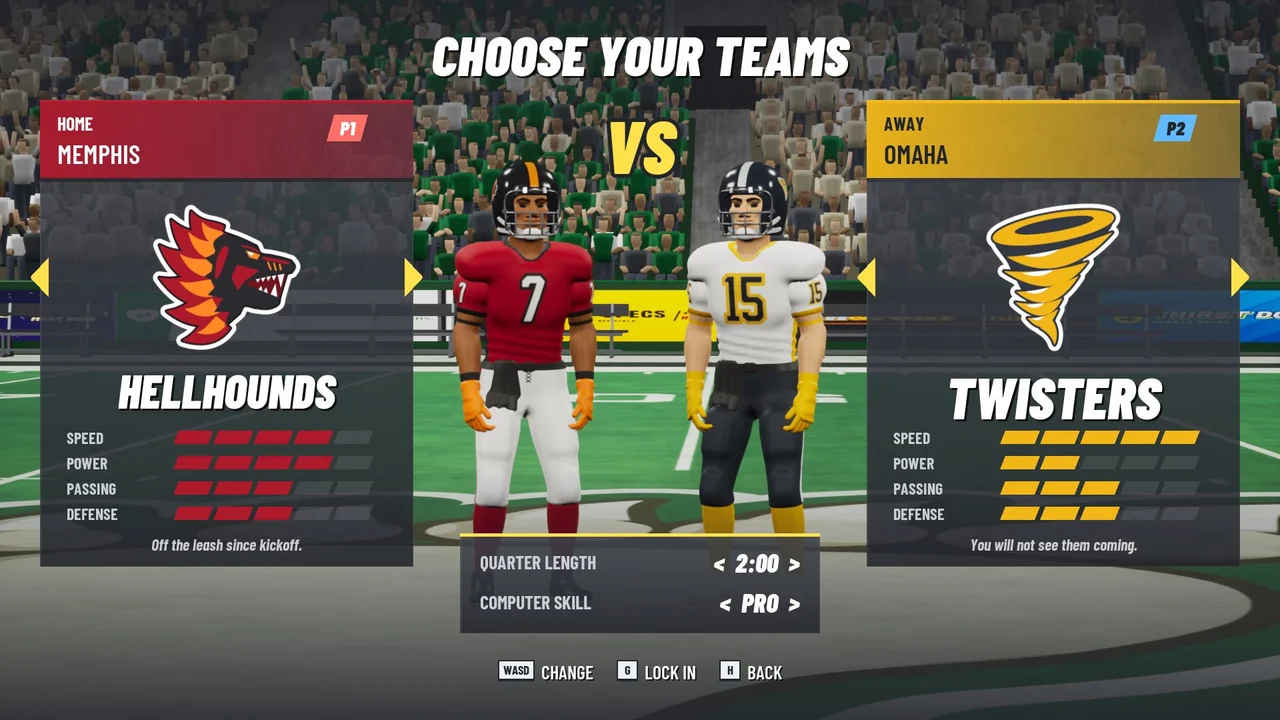
A match is four quarters of one, one and a half, two or three minutes, and the clock only runs while the ball is live. A touchdown is worth 6, then you kick the extra point with a timing meter or go for two from the 3. A field goal is worth 3 and a safety 2, and a tie goes to sudden death, where the next score of any kind wins. The league has eight original teams: the Portland Sasquatch, Honolulu Volcanoes, Anchorage Icebreakers, Memphis Hellhounds, Omaha Twisters, Austin Amps, Tucson Scorpions and Brooklyn Gargoyles. Each has its own colors, emblem, end zones, roster and ratings for speed, power, passing and defense, and the computer plays at Rookie, Pro or All-Fury.
Big plays fill a team’s Fury meter. In the simulation, a safety fills 40 percent of it, an interception 35, a fumble recovery 30, a sack 22 and a stop on fourth down 20, while a touchdown adds 12 and a first down or a big hit 4. When the meter is full, the whole team catches fire for its next three plays from scrimmage: it’s faster, its turbo never runs out, and every tackle is a big hit. The meter can’t fill again until those plays are spent, and it drains by a third with each one.
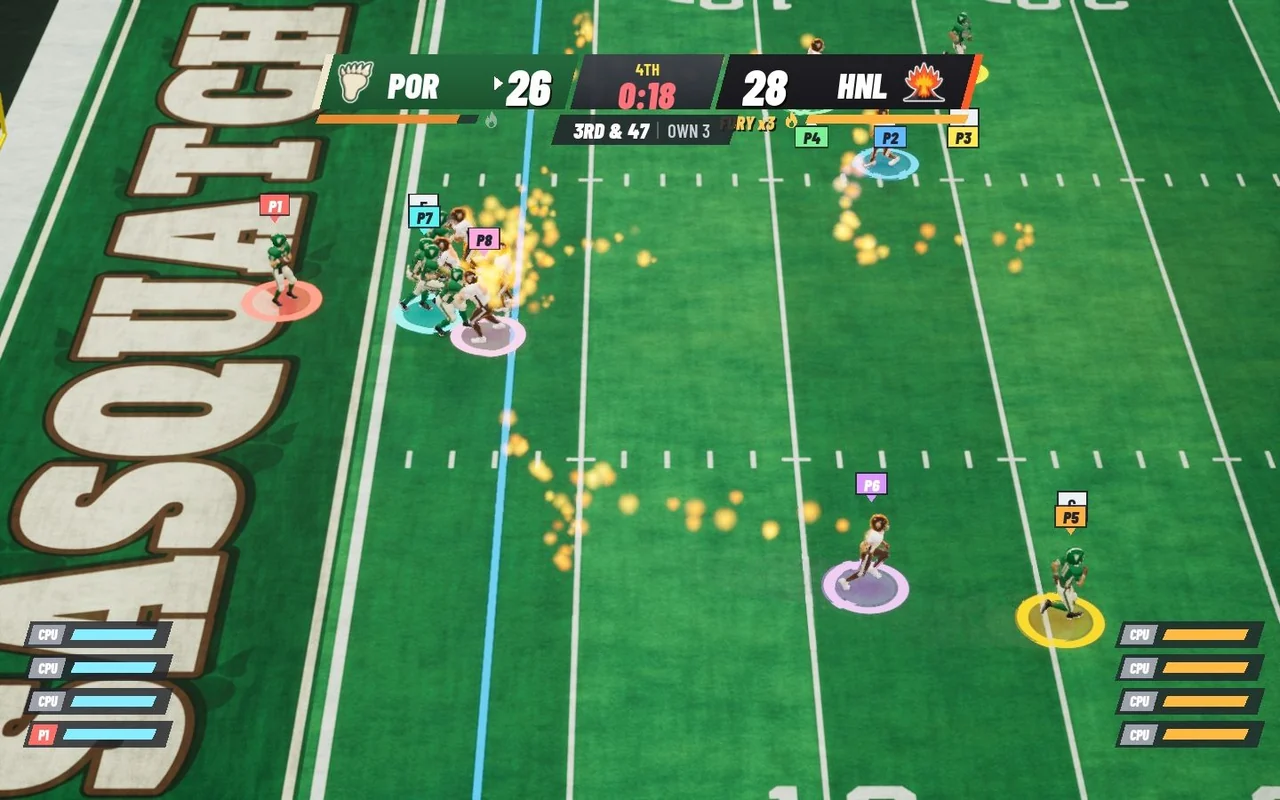

FurySim.cpp: three plays, counted only when the team was already on fire at the snap.On the field
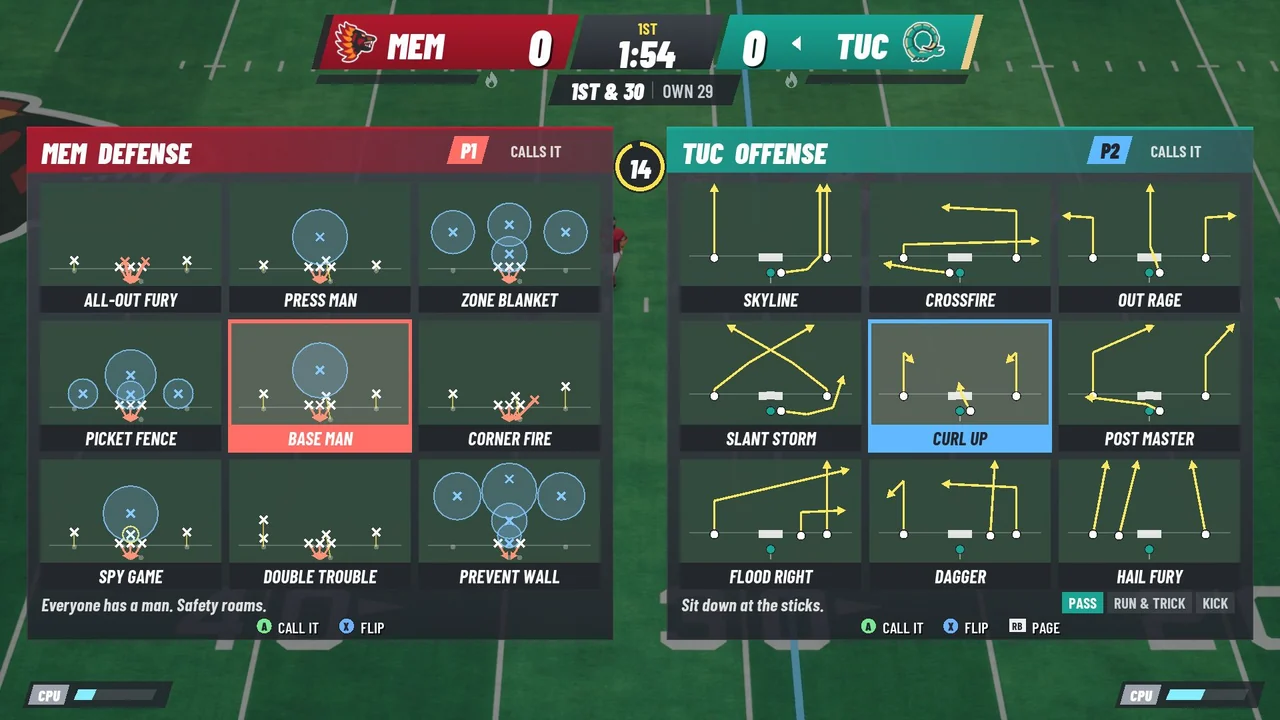
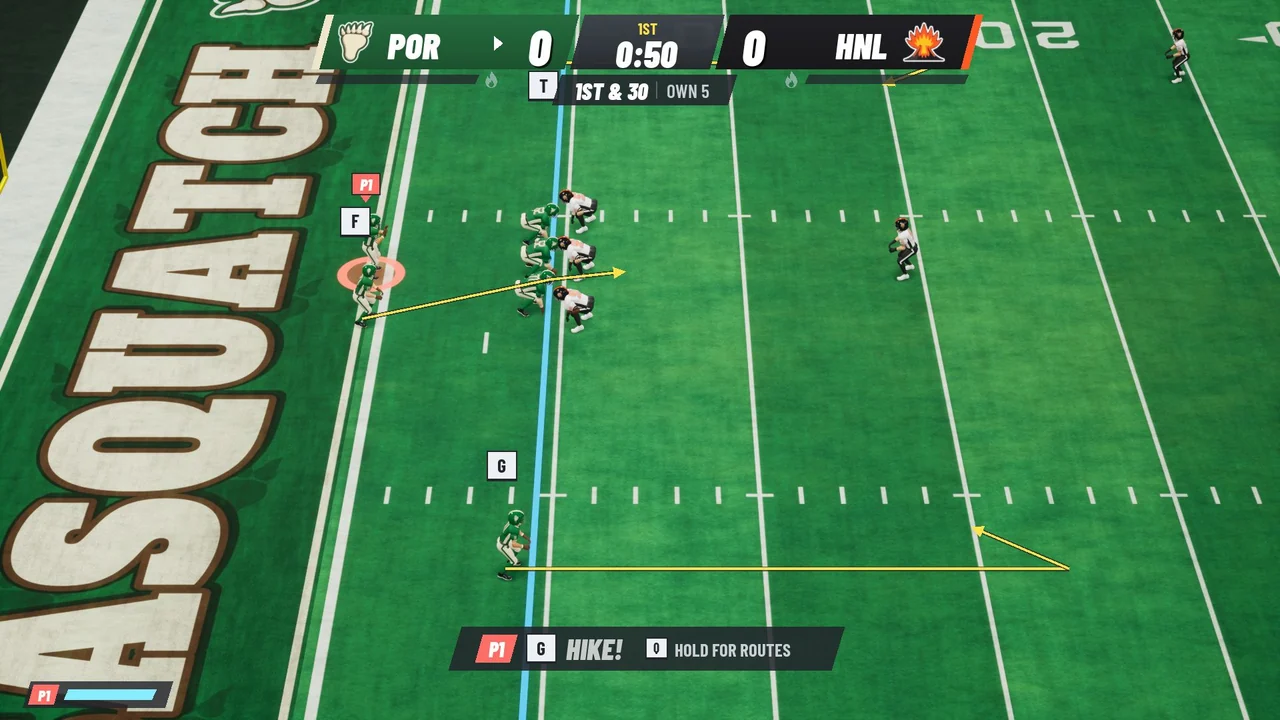
Each side picks from a diagrammed playbook with pass, run and trick, and kick pages, and any play can be flipped. Against a computer defense, holding LB before the snap draws the selected routes on the turf. At quarterback, each receiver shows the button that throws to him above his head, and a gold ring narrows toward the catch point of a pass, punt or kickoff. A ball carrier can spin, stiff-arm, dive or hurdle. A defender can switch to the player nearest the ball, throw a big hit, dive for a tackle or jump to swat a pass, and a kicker stops a meter in the green. Leave the stick alone on offense or in coverage and your athlete runs his assignment by himself. With more than one person on a team, play calling passes to the next player every drive.
Three seconds after the whistle
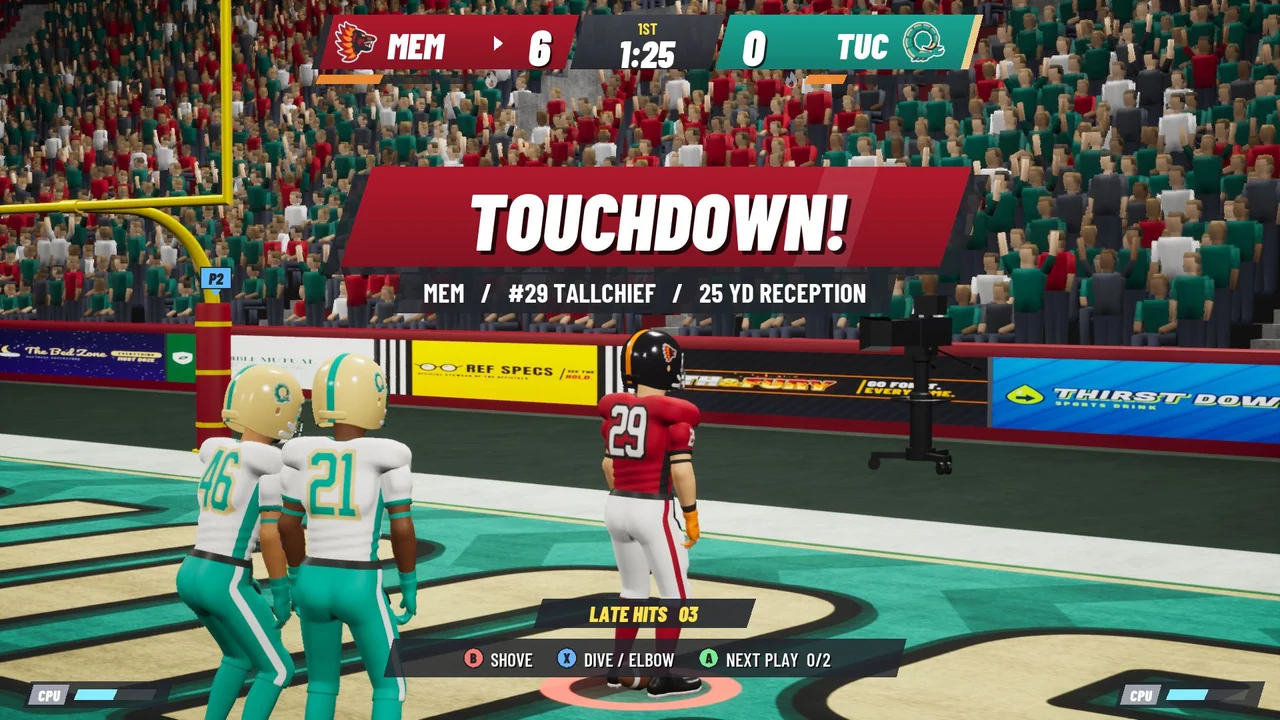
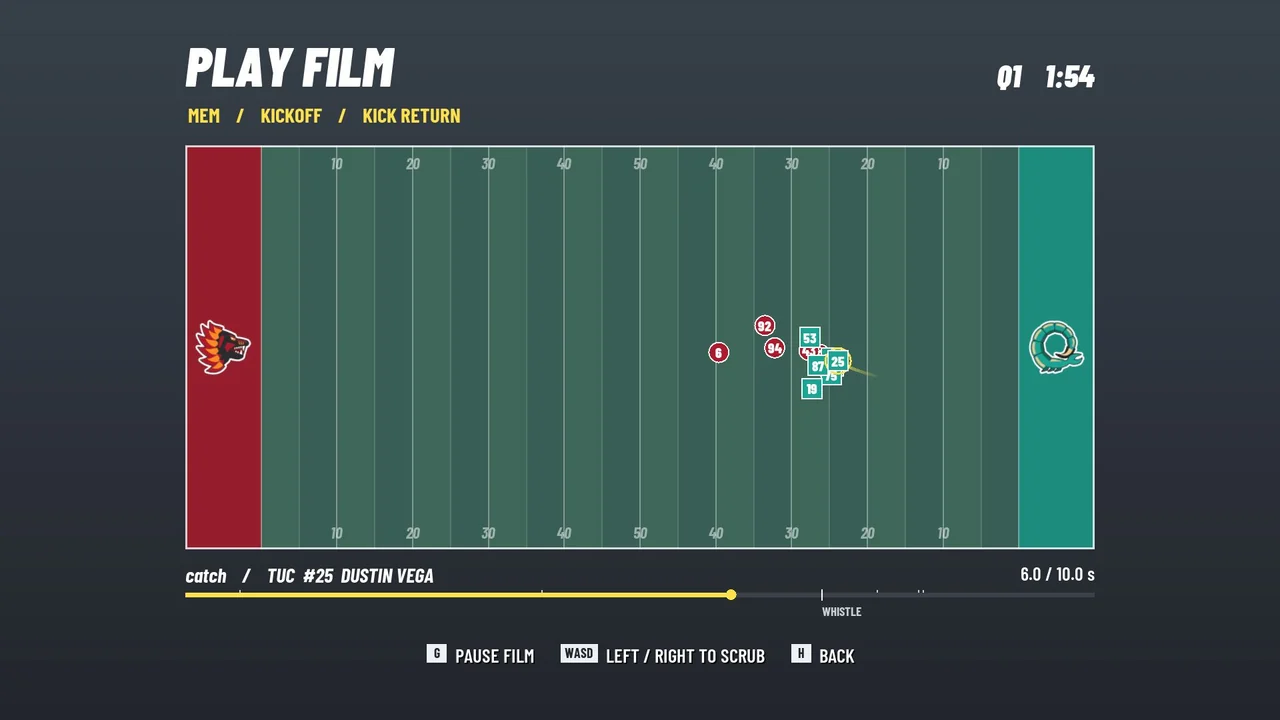
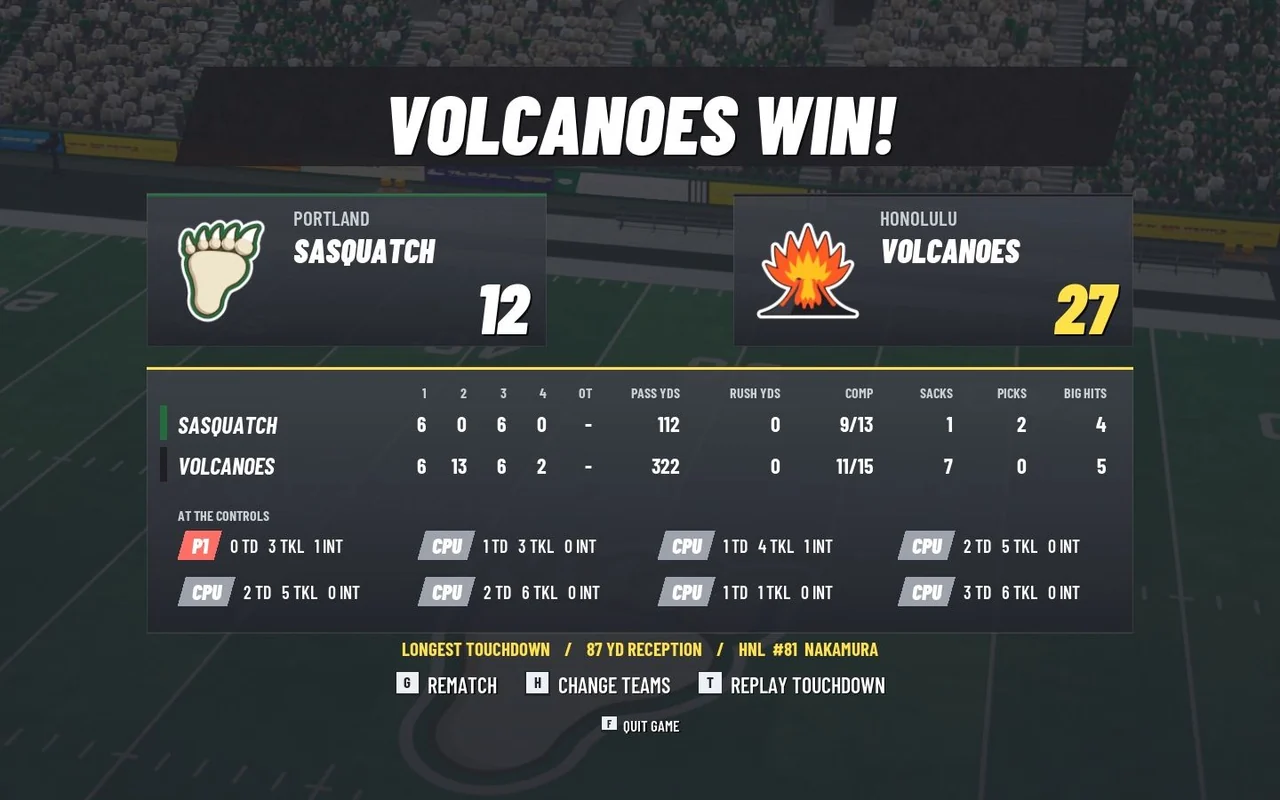
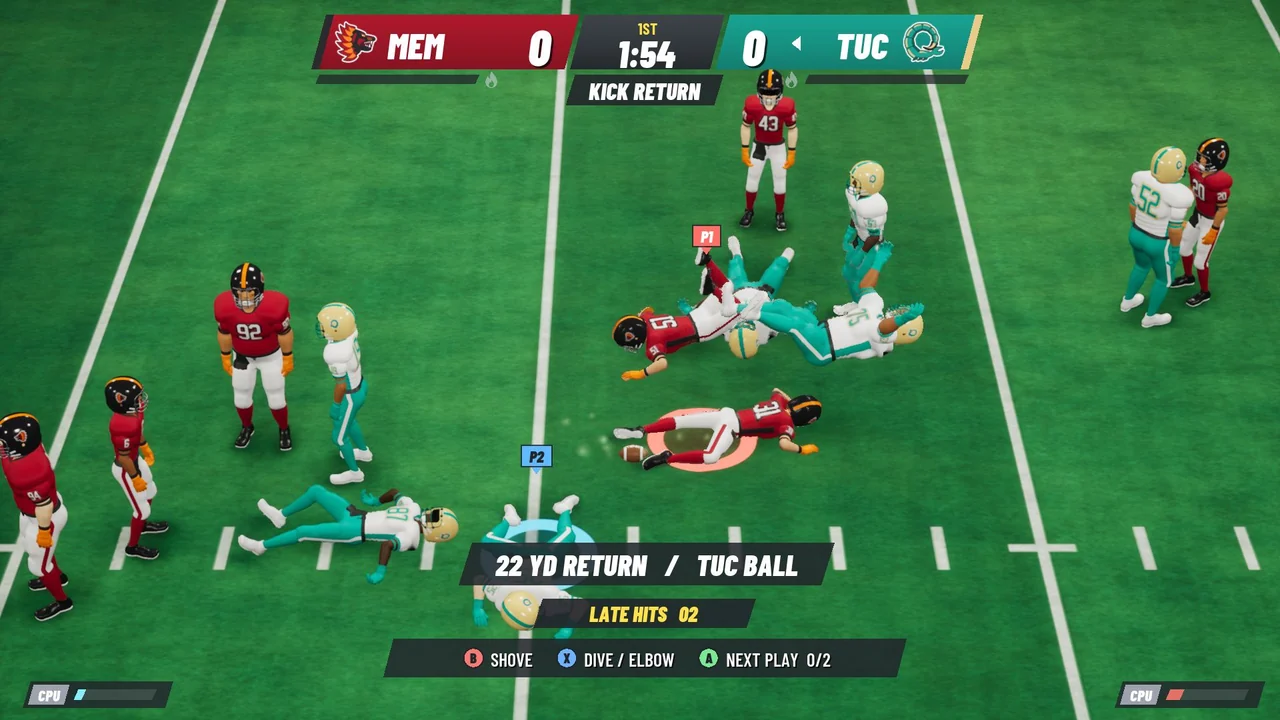
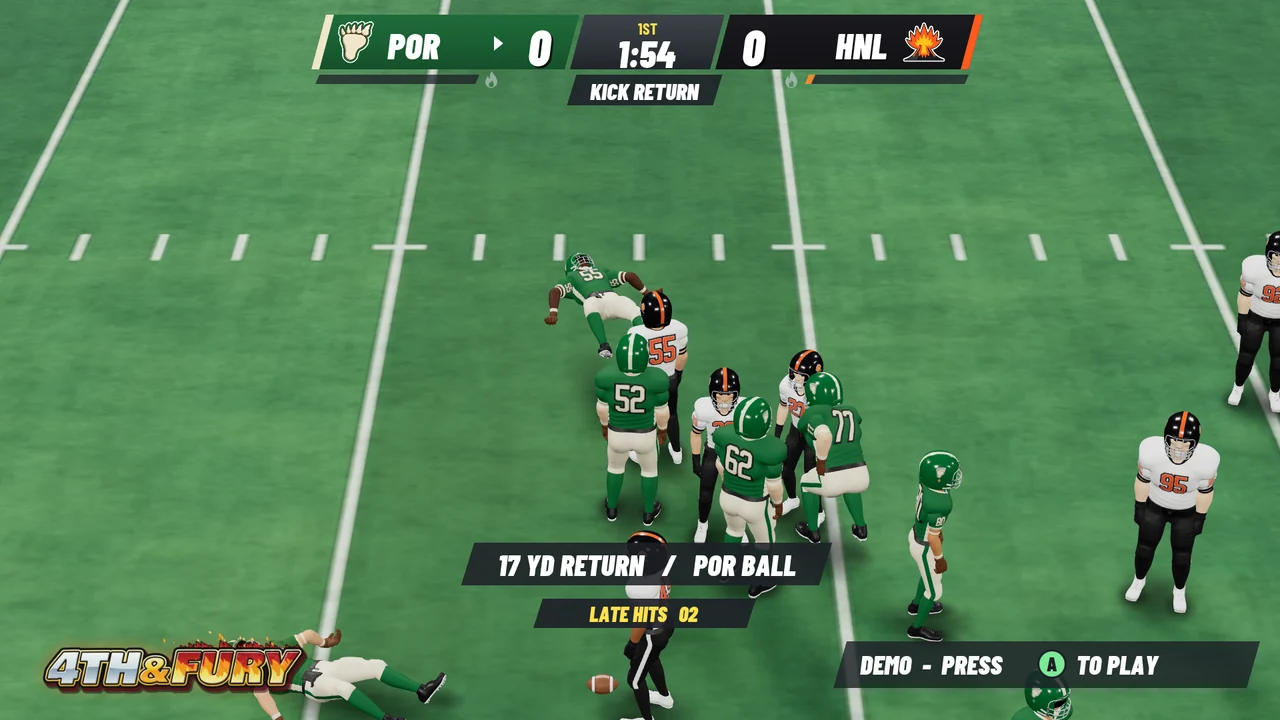
When the whistle blows, both teams get three more seconds to move and hit. The clock, the score and the spot of the ball are already settled, but players can get up and answer back: B shoves, holding Turbo with B lands a shoulder hit, and X dives at a standing opponent or drops an elbow on a downed one. If everyone presses A, play calling starts early. After a whistle, Play Film replays all fourteen players and the football from the last snap through the final late hit, with numbered jerseys, a ball trail and named events on a timeline you can scrub, and at the final score the game can replay the longest touchdown of the match.
Eight seats, one screen
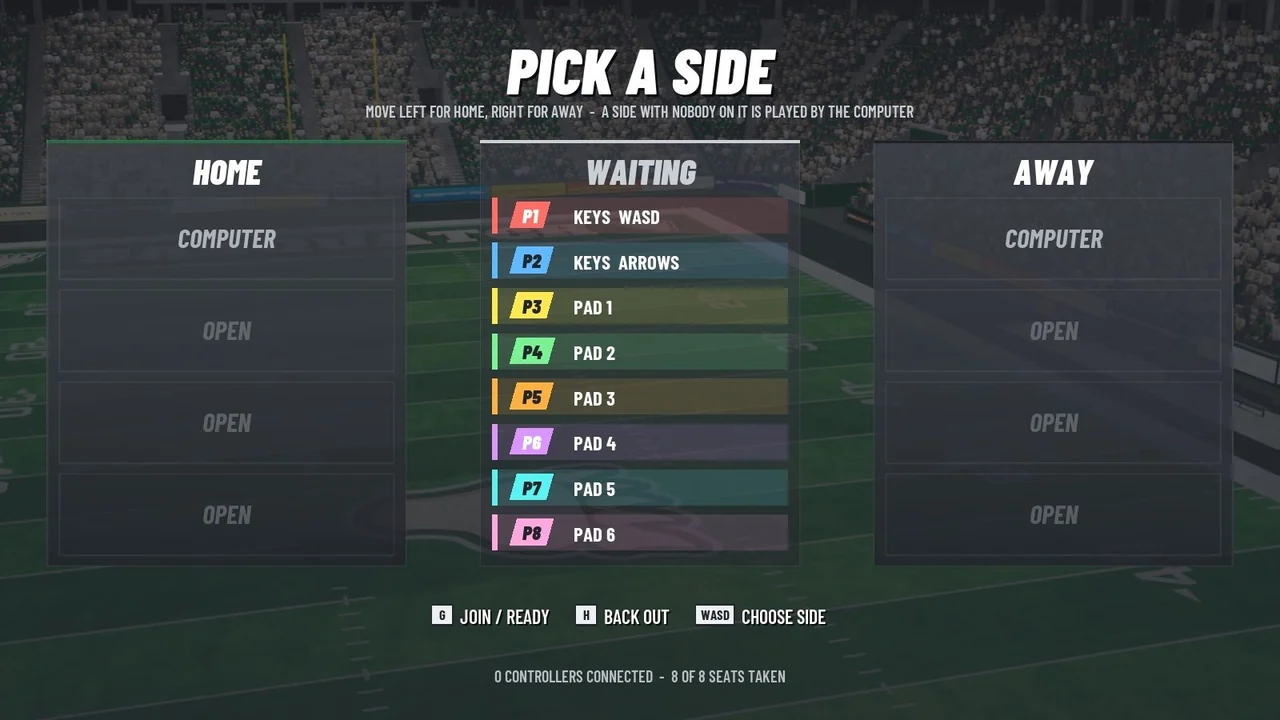
Up to eight people can play at once, four to a team, in any mix of gamepads and the two halves of one keyboard. Everyone presses A to take a seat, steps left or right to pick a side and presses A again when ready, and the computer runs any spot nobody takes. Keyboard players see their own keys in the prompts, and on a Mac each controller’s prompts use the button markings the device reports. If a controller disconnects mid-match, the computer plays that seat until it comes back. Playing alone, Quick Solo starts one-minute quarters against a Rookie opponent, and if nobody touches the title screen for a while, the game plays itself until someone presses A.
Built by script
Every model, animation and texture in the game comes from scripts in the repository. Art/blender/build_player.py builds the athlete in Blender in three builds, chosen by position: linemen are big, quarterbacks, running backs and linebackers are mid, and receivers, defensive backs and the kicker are lean. The three share one skeleton, so one set of 52 animation clips from build_anims.py drives them all. The close-up athlete has articulated gloves and sculpted jersey folds, and a damped spring swings the loose towel hem and the jersey folds between the belt and the chest pads. In spins, jukes, hurdles, stumbles and blocks, the game pivots on a grounded toe and adjusts the leg within its reach, and a ball carrier’s footfalls follow the gait cycle. build_stadium.py makes the stadium, the props and the seated crowd, and athletes, the bowl, the props and the spectators each have three levels of detail. The team emblems, the field, the numbers and the interface art are drawn in Python with Pillow. The Blender, art and audio scripts run to about 22,800 lines of Python.

The effects, the crowd and the music are generated in Python too, with every random choice seeded so that a rebuild reproduces the same files. Impacts are built from what collides: the crack of hard plastic shells, the damped thud of a body, foam and air, then the players hitting the turf. Loops are rendered as exactly one period of a periodic signal, so they repeat without a seam or a cross-fade. The crowd is hundreds of synthetic voices, each with its own pitch, vocal tract, seat and phrasing, over a quieter wash, and the music is sequenced in code, with drums, a double-tracked Karplus-Strong guitar through an amp and cabinet model, bass, brass, a lead and an electric piano. Levels are set by loudness rather than peak. The announcer, the quarterback’s calls and the grunts on contact are saved performances generated with the Ryan voice of Qwen3-TTS, 65 dry takes that the audio build processes like everything else.
The audio was tuned by measurement rather than by ear. Alongside the pass and fail checks in verify_audio.py, the tools in Audio/qc run Apple’s built-in sound classifier, LAION-CLAP and Whisper over the files, and the crowd’s recipe of short shouted bursts from about a hundred distinguishable people over a quieter wash is what the classifier and CLAP accepted as a stadium crowd. The audio README lists the sounds the machine listeners were least convinced by: the boos and the oohs, which come out closer to a groan, the night air, the Fury loop and the ball in flight, which sound like wind or static, and the brass, which is synth brass.
Settings and frame rate
Settings open from the title screen or the pause menu. Graphics starts on Balanced, whose automatic render scale follows the measured GPU time and aims for 120 frames per second, or a lower cap. Performance lowers the render scale and the stadium detail, High renders at display resolution with a second bank of shadow-casting lights, and Ultra renders at 150 percent with four shadow banks and volumetric stadium haze. Sound has separate levels for the master volume, music, announcer, field effects, crowd and stadium, and menu sounds, and Announcer captions shows the words of each call, even with commentary muted. Reduced Motion steadies the menu camera and turns off impact shake and stadium flashes.
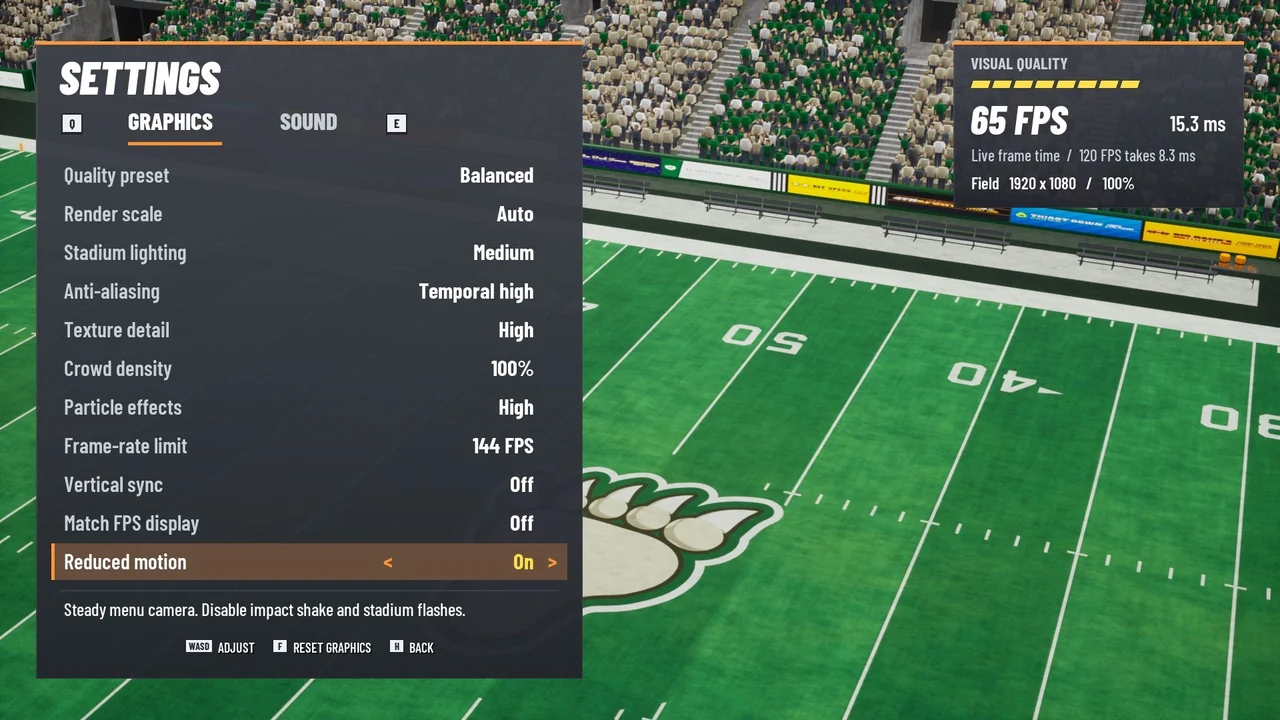
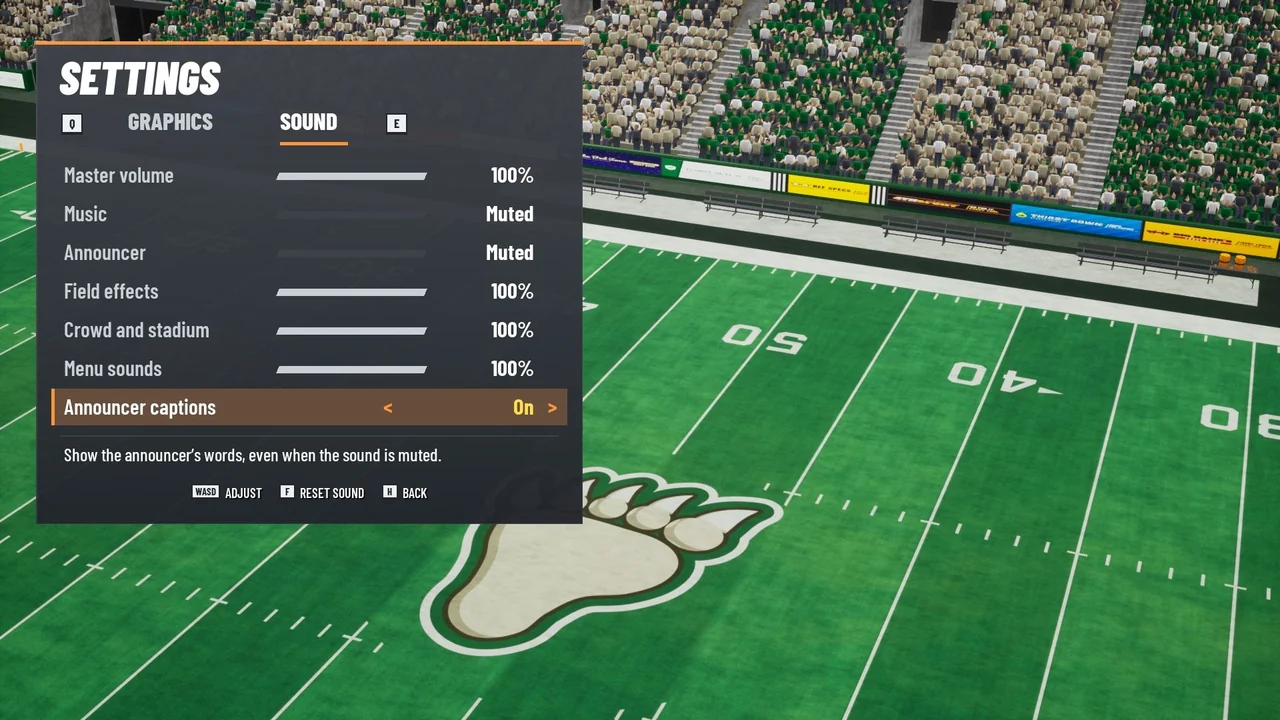
The README’s frame-rate figures come from the packaged game playing a seeded match with eight scripted seats at 1080p, with normal sound and a 144 FPS cap, on an Apple M5 Max with a 40-core GPU. One to three other Unreal games were running when the tests started.
| Preset | Field scale at finish | Average live frame rate | 95th-percentile live frame |
|---|---|---|---|
| Performance | 75% | 109.1–115.0 fps | 12.5–13.9 ms |
| Balanced | Auto, 100% | 111.6–115.2 fps | 12.6–13.1 ms |
| High | 100% | 111.5 fps | 13.4 ms |
| Ultra | 150% | 106.1 fps | 12.2 ms |
Timed again with no other Unreal games running, the final distribution build averaged 116.25 frames per second in live play on Performance and 112.68 on Balanced at 1920 × 1080, and 119.50 on Balanced at the Mac display’s full-screen size of 2064 × 1347, with the field at 80 percent scale.
The browser version
The browser version follows the C++ closely. web/src/sim is a line-by-line port of the simulation, with its methods split across files much like the C++: simFlow.ts is FurySim.cpp, simPlay.ts is FurySimPlay.cpp and simAI.ts is FurySimAI.cpp. The simulation draws nothing, so npm run simtest can play whole computer-versus-computer matches headless, and the README says its statistics track the Unreal build’s. web/src/game ports the director, the broadcast camera, the athlete animation blending, the stadium, the effects, the input, the Web Audio mixer and Play Film, and web/src/hud draws the interface on a 2D canvas from the same 1920 × 1080 layout as the Unreal HUD. The port runs to 12,612 lines of TypeScript, against 15,146 lines of C++ in the Unreal project.
The assets come from the same sources. web/tools exports the Blender models as glTF and converts the textures to WebP and the sounds to MP3, and it never launches Unreal. Getting from Unreal’s world to Three.js is a plain swap of axes, with centimeters becoming meters. A first visit downloads about 14 MB, or 25 MB uncompressed. Browsers only start sound after a click or a key press, so the game waits behind an Enter the stadium button, and they only report a gamepad once one of its buttons has been pressed.
How it was made
The production disclosure in Contest/Entry.md, a draft festival entry, says the rosters, emblems, uniforms, stadium, animation and playbook are original to the project, and that the Blender and Python source generates the meshes, rigs, textures, music and effects. It also says the announcer and field calls include synthesized performances generated with Qwen3-TTS’s Ryan preset, and that AI-assisted development was used. The typefaces are Barlow Condensed, Anton and Graduate, under the SIL Open Font License, plus display faces in Art/fonts that draw the team emblems.
The repository has two commits. The first, on November 17, 2026, holds a README stub and the icon. The second, on November 20, adds the Unreal project with its source art and sound, the browser port and the website, and it’s co-authored by Claude. Outside web/ and site/, the Unreal assets, the art exports, the sounds, the images and the videos are stored with Git LFS, which the GitHub Pages build skips. The README and the website’s footer say the game was created in T3 Code.
Play it
Play in your browser, or start from the website, which has the trailer, the teams and the controls. The README recommends desktop Chrome, Edge, Firefox or Safari. On the title screen, press F, or X on a controller, for Quick Solo, and for a shared match each player presses G or K, or A on a controller, to take a seat. On the left half of the keyboard, W A S D moves, Left Shift is turbo, and G or Space, H, F and T are the A, B, X and Y buttons. The right half uses the arrow keys, Right Shift and K, L, J and I.
There’s no Mac download, because the packaged app isn’t checked in. Playing the Mac version means building it on an Apple silicon Mac with a source build of Unreal Engine 5.9 at ~/UnrealEngine, or wherever UE_ENGINE_DIR points, and Git LFS for the assets, plus Blender 5 and uv to regenerate the art and sound. Then ./build.sh and ./play.sh in FourthAndFury/ compile and run it, and ./package.sh Shipping makes a standalone app and a ZIP. The Shipping build runs offline on Apple silicon Macs with macOS 14 or later, but it’s only ad-hoc signed, and the README notes that a normal Gatekeeper launch after a download would need Developer ID signing and notarization. It also says two keyboard players completed a match and the quit flow in the extracted Shipping build, and eight-seat games were run with scripted inputs, but eight physical controllers still need testing. Twelve Unreal automation checks cover possession and scoring, the three-second whistle, Fury, Play Film, input, controller glyphs and reconnection, frame scaling, captions and jersey numbers. Six hundred simulated games across Rookie, Pro and All-Fury all finished with a winner, and all 52 animation clips and all 139 sound files pass the project’s own checks.
Browse the source on GitHub. The creation date shown here is the GitHub repository’s UTC creation date. The cover is the key art from the repository’s Contest folder. The team selection, play-calling, routes, touchdown, Play Film and Unreal kick-return pictures are the contest screenshots, and the Fury, lobby, final score, athlete and settings pictures come from the README’s Docs folder. All of them were shrunk with Lanczos resampling. The browser kick return was captured for this page from the live browser version’s attract-mode demo in headless Chromium on Linux with an AMD Radeon 8060S. The two videos and their posters are the website’s own, and the code excerpt is from FurySim.cpp.